🚚 Free Worldwide Shipping on All Orders!Shop Now

HomeStore
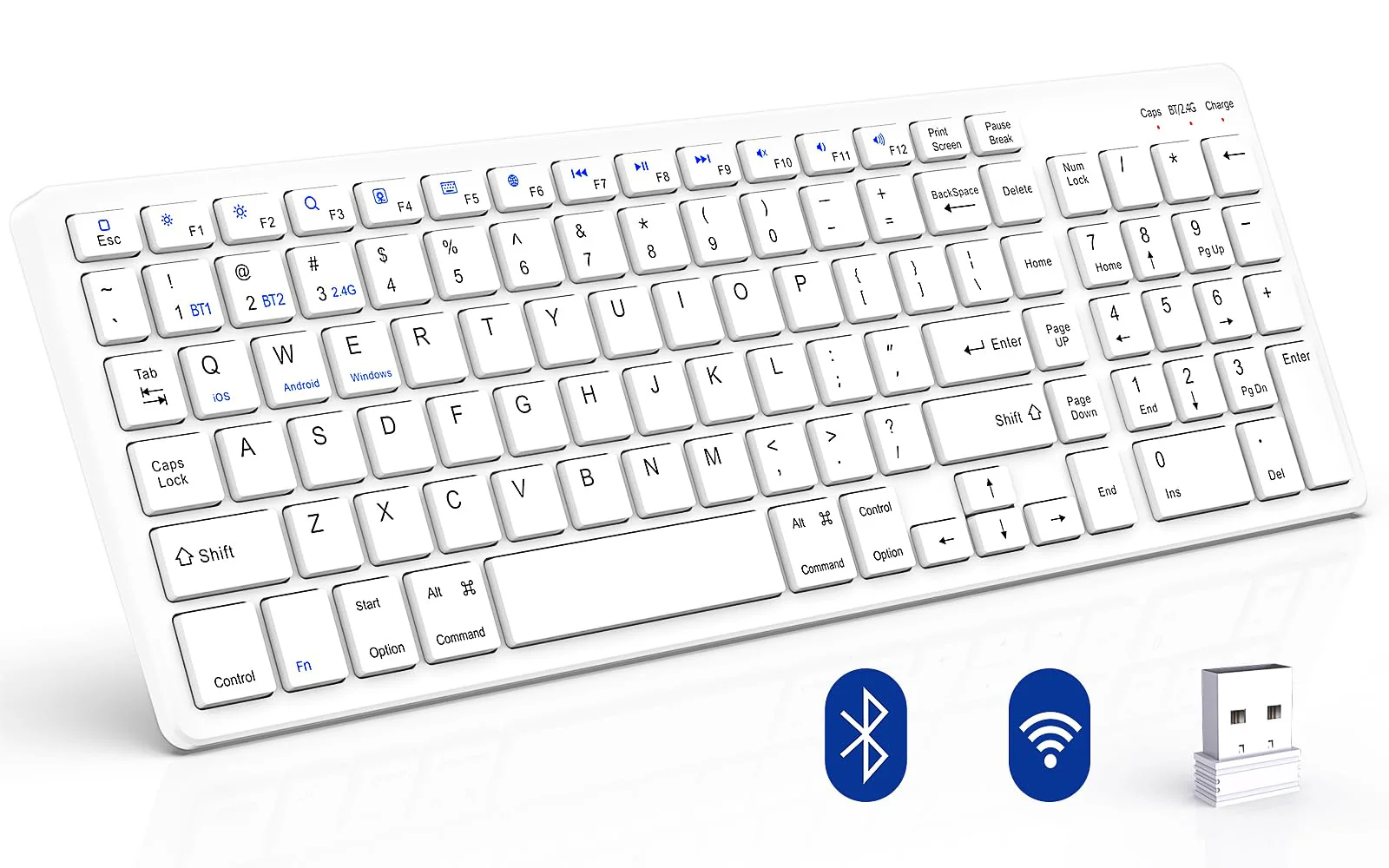
Wireless Keyboard, Bluetooth Keyboard with Number Pad, 2.4G+Bluetooth Full-Size Quiet Computer Keyboard for iPad 10.2(9th/8th/7th)/iPad Air 5th/4th/iPad Pro 11/12.9, iPad 10.5/9.7/iPad Mini (White) White
Wireless Keyboard, Bluetooth Keyboard with Number Pad, 2.4G+Bluetooth Full-Size Quiet Computer Keyboard for iPad 10.2(9th/8th/7th)/iPad Air 5th/4th/iPad Pro 11/12.9, iPad 10.5/9.7/iPad Mini (White) White
Wireless Keyboard, Bluetooth Keyboard with Number Pad, 2.4G+Bluetooth Full-Size Quiet Computer Keyboard for iPad 10.2(9th/8th/7th)/iPad Air 5th/4th/iPad Pro 11/12.9, iPad 10.5/9.7/iPad Mini (White)
Product Features
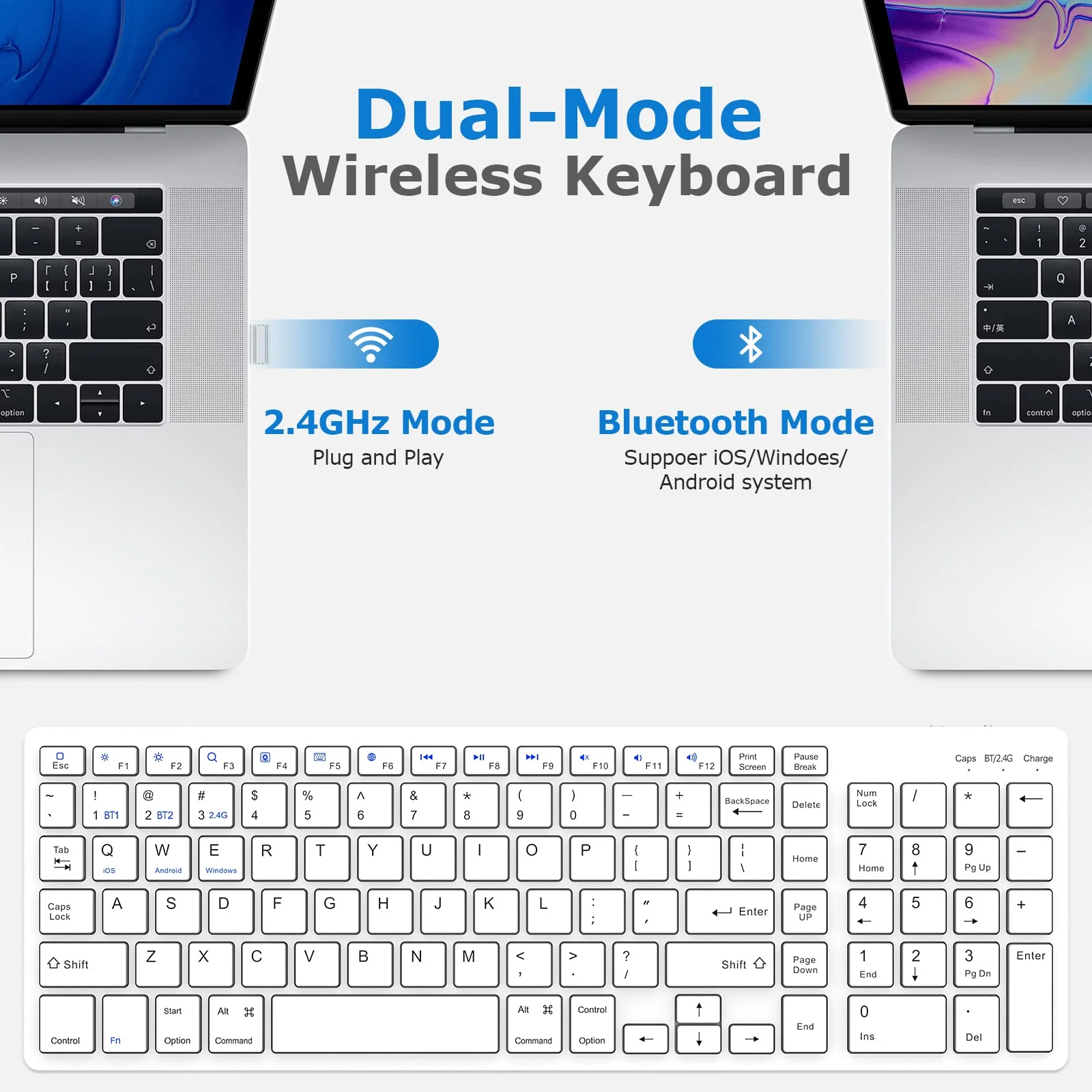
- 2.4GHz + Bluetooth Dual Mode: This wireless keyboard have 2.4GHz and Bluetooth dual mode. The 2.4GHz mode is easy to connect with your devices, plug and play, provides you with a stable and fast responsiveness connection. The Bluetooth mode can range up to 10m, input even in a far way, compatible with office, meeting room, and home daily use
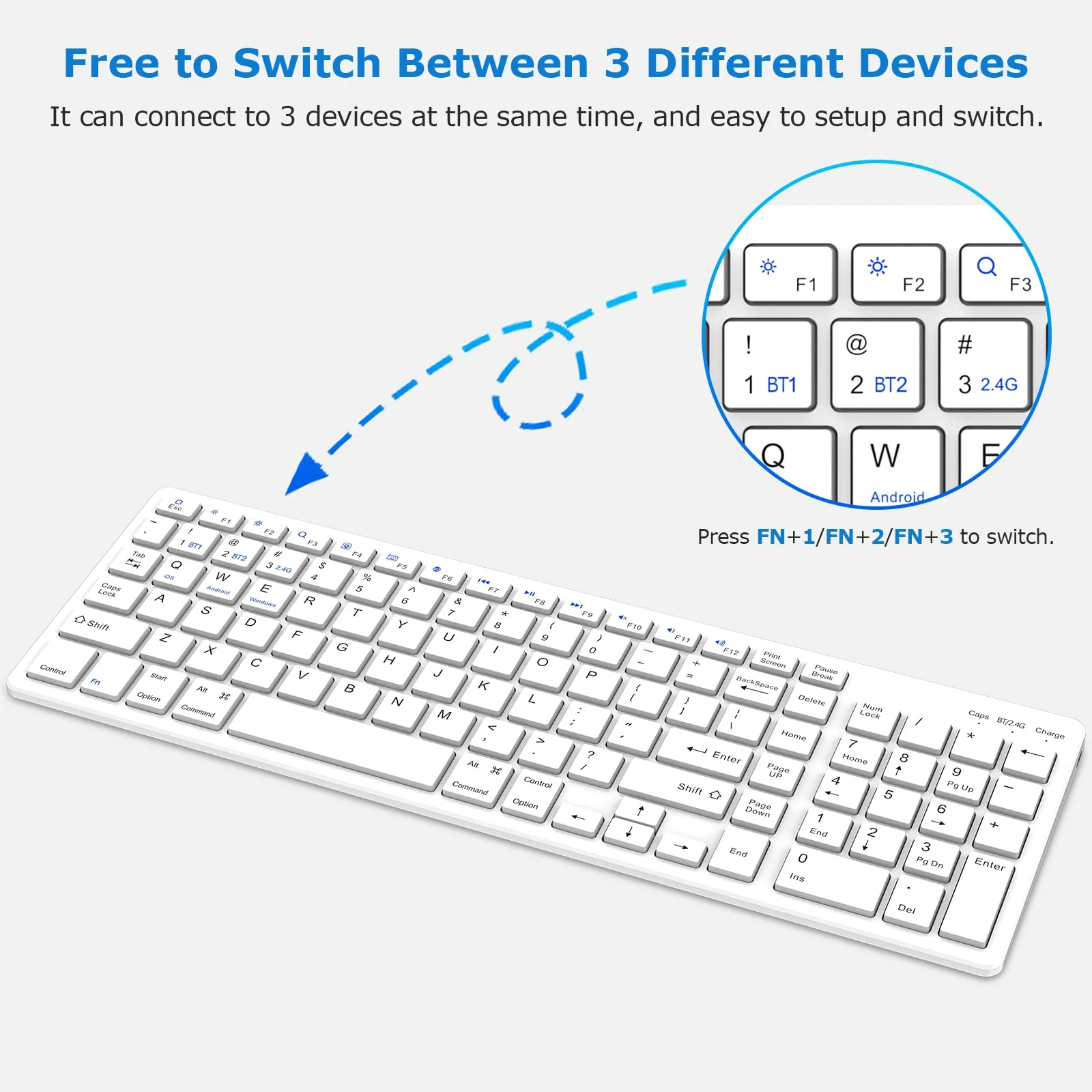
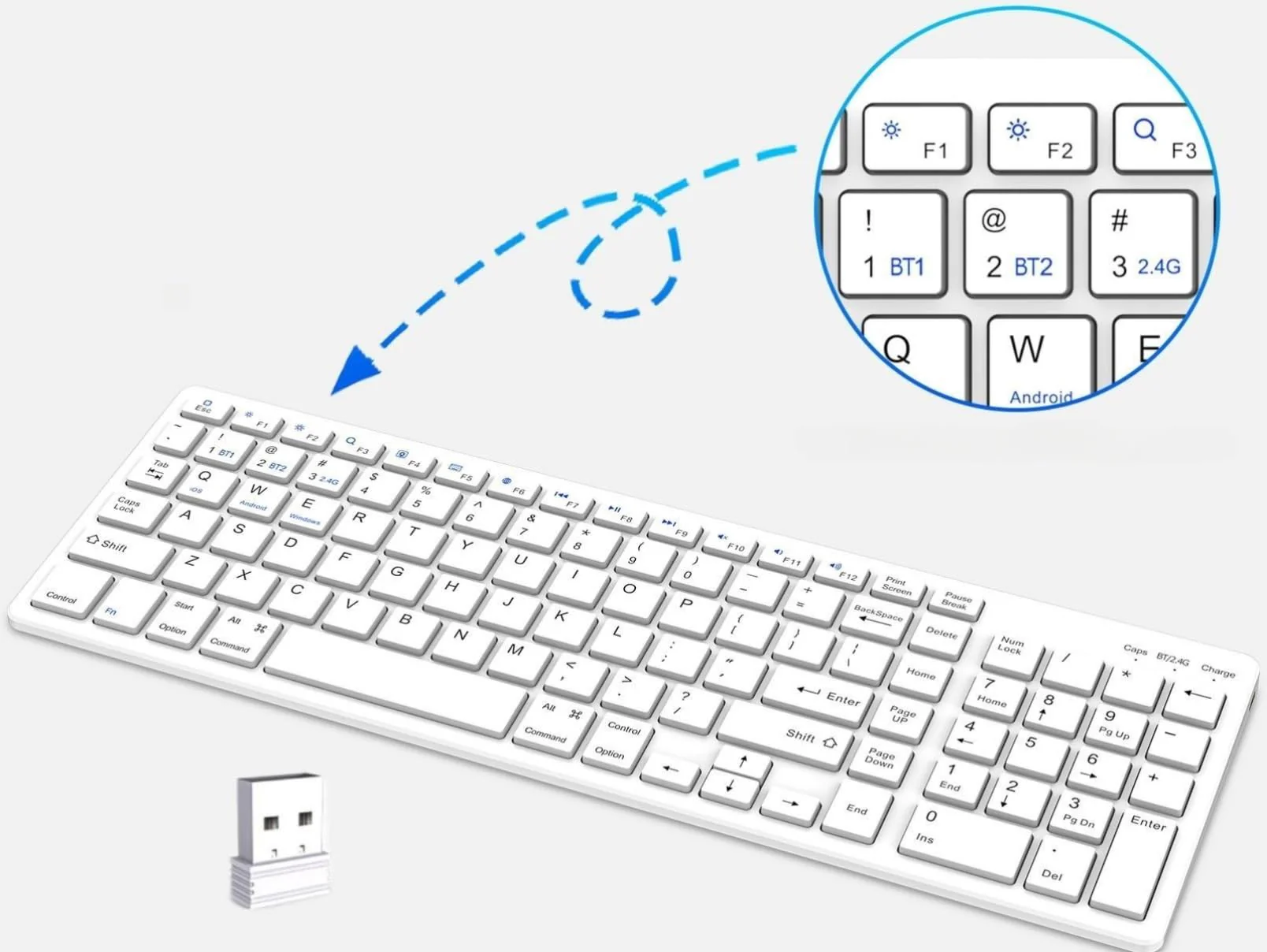
- Bluetooth Connection Steps: 1 . Slide the keyboard switch to the ON direction. The Charge indicator flashes red light and then turns off auto; 2 . Press the " FN + 1 " or " FN + 2 " Keys, switch wireless mode to Bluetooth 3.0 or Bluetooth 5.0. The BT / 2.4G indicator will flash blue light three times; 3 . Press the Connect button, the BT / 2.4G indicator will flash blue light all the time; 4 . Go to settings interface, enable Bluetooth of your device
- Bluetooth Connection Steps: 4 . Go to settings interface, enable Bluetooth of your device, it will automatically search for nearby devices; 5 . Find the " Bluetooth Keyboard 3.0 " or " Bluetooth Keyboard 5.0 " device. Click connect
- 2.4G Connection Steps: 1 . Plug the USB receiver into your device; 2 . Slide the keyboard switch to the ON direction; The Charge indicator flashes red light and then turns off automatically; 3 . Press the " FN +3" to switch the wireless mode to 2 4G. The BT / 2.4G indicator will flash green light three times; 4 . Press the connect button, and the BT / 2 . 4 indicator will flash a green light. When the keyboard is paired to your device successfully, the indicator light will be green and then
- 2.4G Connection Steps: 4 . Press the connect button, and the BT / 2 . 4 indicator will flash a green light. When the keyboard is paired to your device successfully, the indicator light will be green and then auto-turn off after several seconds; 5 . Typing the keyboard to test whether it connects successfully. If not, please repeat those operations again
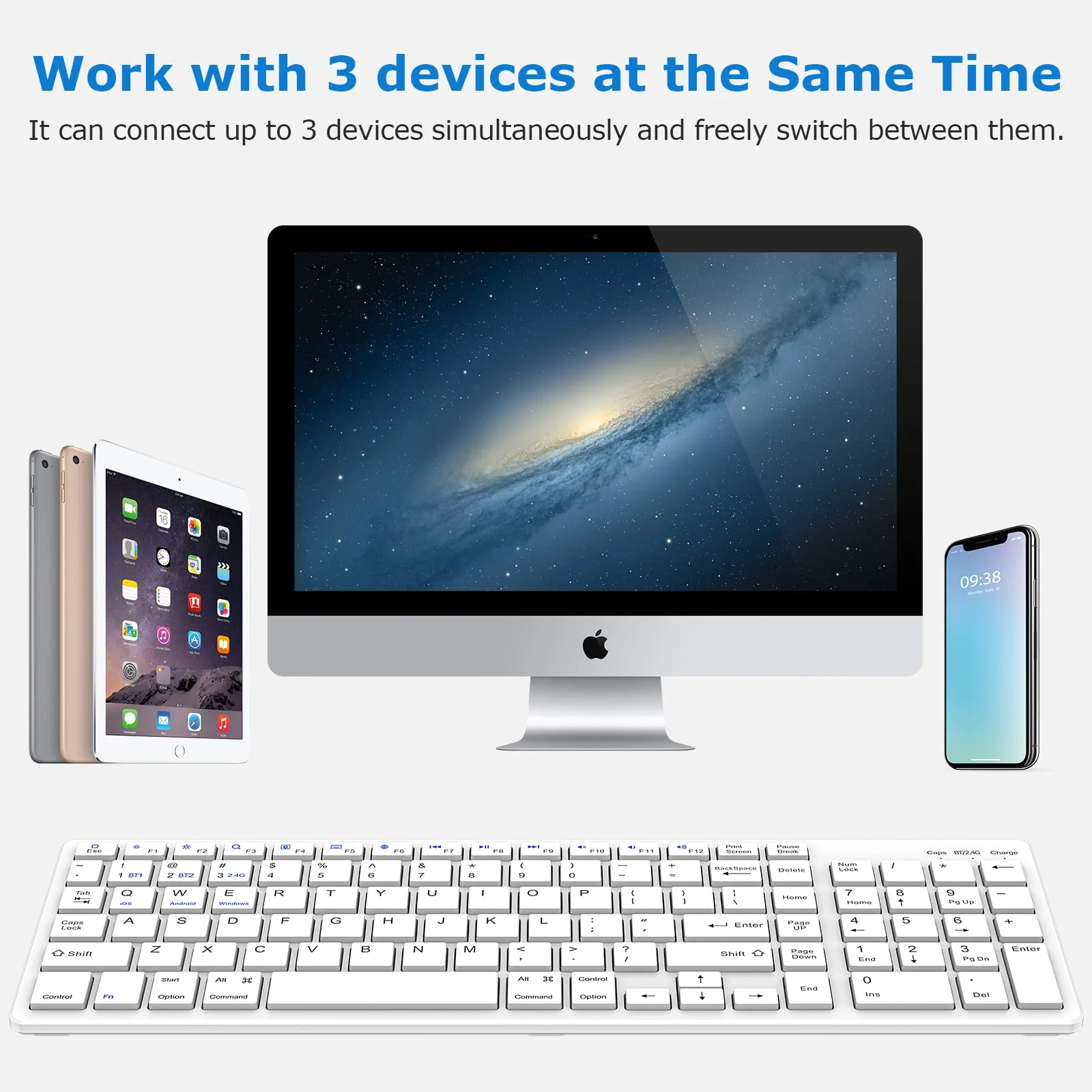
- Multi-device Wireless keyboard: This wireless keyboard supports Android, iOS, and Windows systems desktop, laptop, and tablet devices. NOTE: Not compatible with Mac devices. It can connect with up to 3 devices at the same time and is free to switch between them
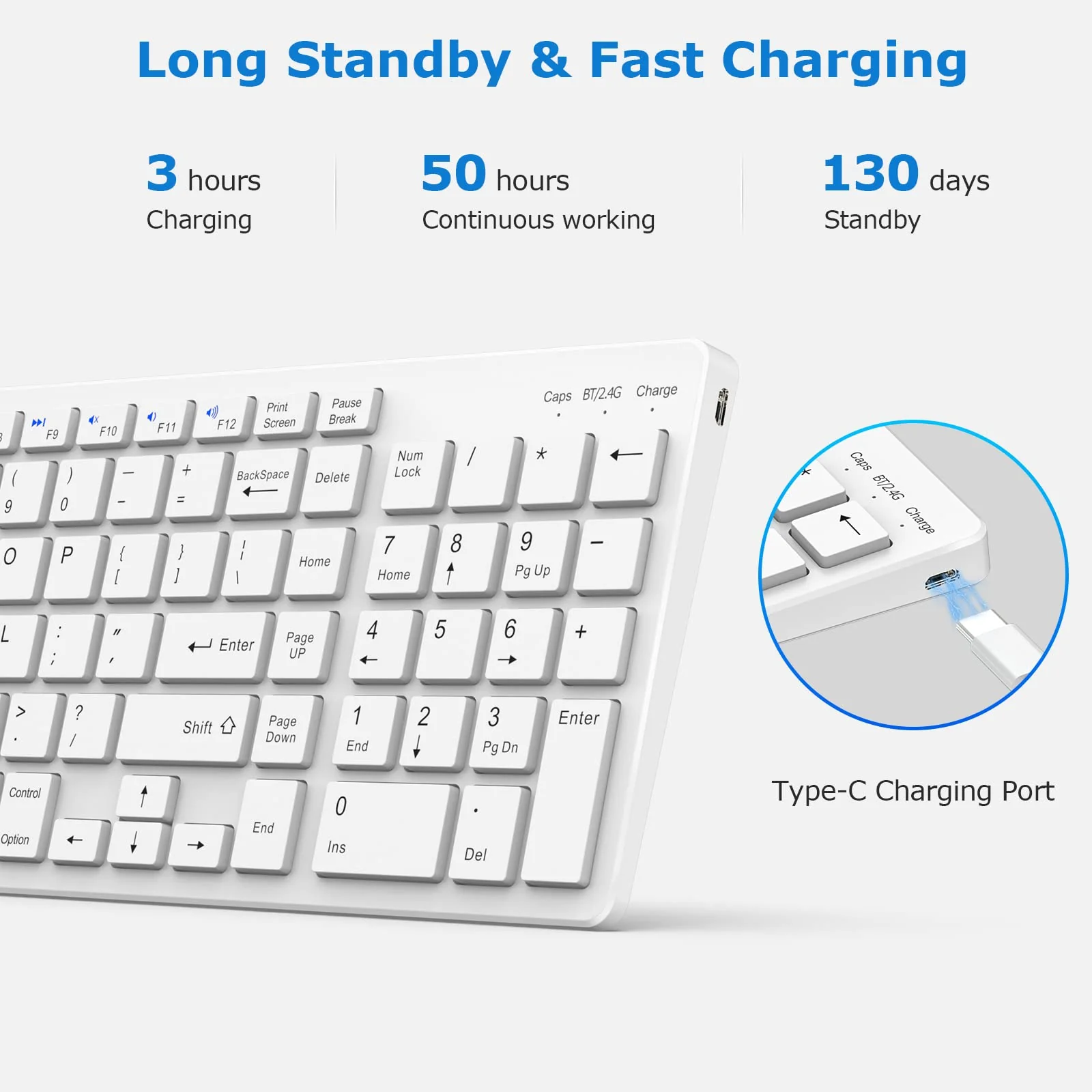
- Rechargeable & Long Standby: Cordless design helps save your desk space and make your desk more clear. Its also environmentally friendly. Only need 3 hours of charging, it can work 50 hours continuously, and 130 days of long-term standby
$40.31
Original: $115.18
-65%Wireless Keyboard, Bluetooth Keyboard with Number Pad, 2.4G+Bluetooth Full-Size Quiet Computer Keyboard for iPad 10.2(9th/8th/7th)/iPad Air 5th/4th/iPad Pro 11/12.9, iPad 10.5/9.7/iPad Mini (White) White—
$115.18
$40.31More Images
Wireless Keyboard, Bluetooth Keyboard with Number Pad, 2.4G+Bluetooth Full-Size Quiet Computer Keyboard for iPad 10.2(9th/8th/7th)/iPad Air 5th/4th/iPad Pro 11/12.9, iPad 10.5/9.7/iPad Mini (White) White
Wireless Keyboard, Bluetooth Keyboard with Number Pad, 2.4G+Bluetooth Full-Size Quiet Computer Keyboard for iPad 10.2(9th/8th/7th)/iPad Air 5th/4th/iPad Pro 11/12.9, iPad 10.5/9.7/iPad Mini (White)
Product Features
- 2.4GHz + Bluetooth Dual Mode: This wireless keyboard have 2.4GHz and Bluetooth dual mode. The 2.4GHz mode is easy to connect with your devices, plug and play, provides you with a stable and fast responsiveness connection. The Bluetooth mode can range up to 10m, input even in a far way, compatible with office, meeting room, and home daily use
- Bluetooth Connection Steps: 1 . Slide the keyboard switch to the ON direction. The Charge indicator flashes red light and then turns off auto; 2 . Press the " FN + 1 " or " FN + 2 " Keys, switch wireless mode to Bluetooth 3.0 or Bluetooth 5.0. The BT / 2.4G indicator will flash blue light three times; 3 . Press the Connect button, the BT / 2.4G indicator will flash blue light all the time; 4 . Go to settings interface, enable Bluetooth of your device
- Bluetooth Connection Steps: 4 . Go to settings interface, enable Bluetooth of your device, it will automatically search for nearby devices; 5 . Find the " Bluetooth Keyboard 3.0 " or " Bluetooth Keyboard 5.0 " device. Click connect
- 2.4G Connection Steps: 1 . Plug the USB receiver into your device; 2 . Slide the keyboard switch to the ON direction; The Charge indicator flashes red light and then turns off automatically; 3 . Press the " FN +3" to switch the wireless mode to 2 4G. The BT / 2.4G indicator will flash green light three times; 4 . Press the connect button, and the BT / 2 . 4 indicator will flash a green light. When the keyboard is paired to your device successfully, the indicator light will be green and then
- 2.4G Connection Steps: 4 . Press the connect button, and the BT / 2 . 4 indicator will flash a green light. When the keyboard is paired to your device successfully, the indicator light will be green and then auto-turn off after several seconds; 5 . Typing the keyboard to test whether it connects successfully. If not, please repeat those operations again
- Multi-device Wireless keyboard: This wireless keyboard supports Android, iOS, and Windows systems desktop, laptop, and tablet devices. NOTE: Not compatible with Mac devices. It can connect with up to 3 devices at the same time and is free to switch between them
- Rechargeable & Long Standby: Cordless design helps save your desk space and make your desk more clear. Its also environmentally friendly. Only need 3 hours of charging, it can work 50 hours continuously, and 130 days of long-term standby
Product Information
Product Information
Shipping & Returns
Shipping & Returns
Description
Wireless Keyboard, Bluetooth Keyboard with Number Pad, 2.4G+Bluetooth Full-Size Quiet Computer Keyboard for iPad 10.2(9th/8th/7th)/iPad Air 5th/4th/iPad Pro 11/12.9, iPad 10.5/9.7/iPad Mini (White)
Product Features
- 2.4GHz + Bluetooth Dual Mode: This wireless keyboard have 2.4GHz and Bluetooth dual mode. The 2.4GHz mode is easy to connect with your devices, plug and play, provides you with a stable and fast responsiveness connection. The Bluetooth mode can range up to 10m, input even in a far way, compatible with office, meeting room, and home daily use
- Bluetooth Connection Steps: 1 . Slide the keyboard switch to the ON direction. The Charge indicator flashes red light and then turns off auto; 2 . Press the " FN + 1 " or " FN + 2 " Keys, switch wireless mode to Bluetooth 3.0 or Bluetooth 5.0. The BT / 2.4G indicator will flash blue light three times; 3 . Press the Connect button, the BT / 2.4G indicator will flash blue light all the time; 4 . Go to settings interface, enable Bluetooth of your device
- Bluetooth Connection Steps: 4 . Go to settings interface, enable Bluetooth of your device, it will automatically search for nearby devices; 5 . Find the " Bluetooth Keyboard 3.0 " or " Bluetooth Keyboard 5.0 " device. Click connect
- 2.4G Connection Steps: 1 . Plug the USB receiver into your device; 2 . Slide the keyboard switch to the ON direction; The Charge indicator flashes red light and then turns off automatically; 3 . Press the " FN +3" to switch the wireless mode to 2 4G. The BT / 2.4G indicator will flash green light three times; 4 . Press the connect button, and the BT / 2 . 4 indicator will flash a green light. When the keyboard is paired to your device successfully, the indicator light will be green and then
- 2.4G Connection Steps: 4 . Press the connect button, and the BT / 2 . 4 indicator will flash a green light. When the keyboard is paired to your device successfully, the indicator light will be green and then auto-turn off after several seconds; 5 . Typing the keyboard to test whether it connects successfully. If not, please repeat those operations again
- Multi-device Wireless keyboard: This wireless keyboard supports Android, iOS, and Windows systems desktop, laptop, and tablet devices. NOTE: Not compatible with Mac devices. It can connect with up to 3 devices at the same time and is free to switch between them
- Rechargeable & Long Standby: Cordless design helps save your desk space and make your desk more clear. Its also environmentally friendly. Only need 3 hours of charging, it can work 50 hours continuously, and 130 days of long-term standby