USB MIDI Cable Adapter, B60 Midi USB Cable Interface Converter 5-Pole in Out Midi to USB Adapter 2m
USB MIDI Cable Adapter, B60 Midi USB Cable Interface Converter 5-Pole in Out Midi to USB Adapter 2m
USB MIDI Cable Adapter, B60 Midi USB Cable Interface Converter 5-Pole in Out Midi to USB Adapter 2m
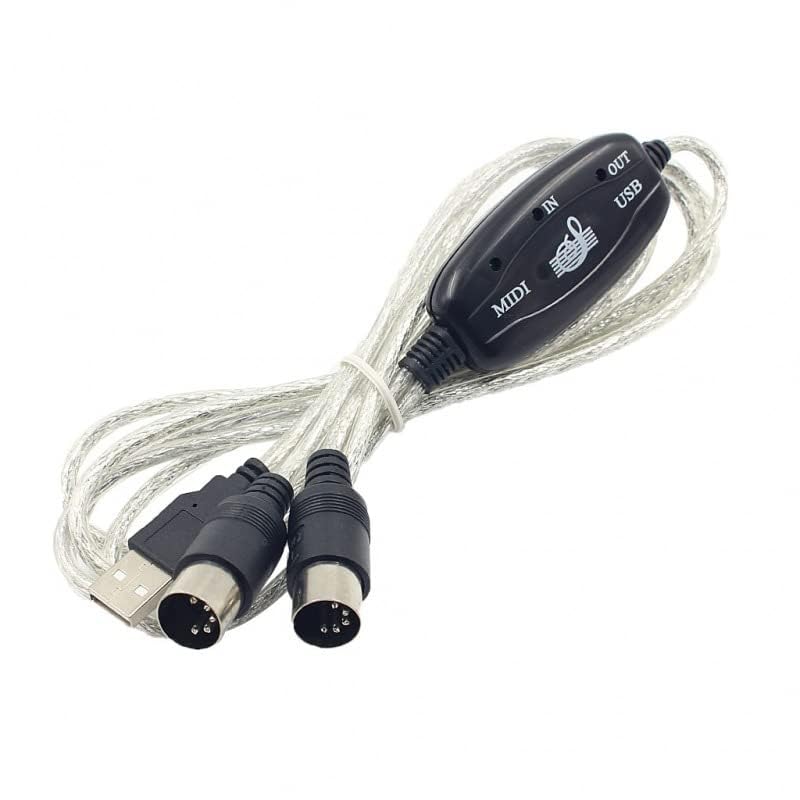
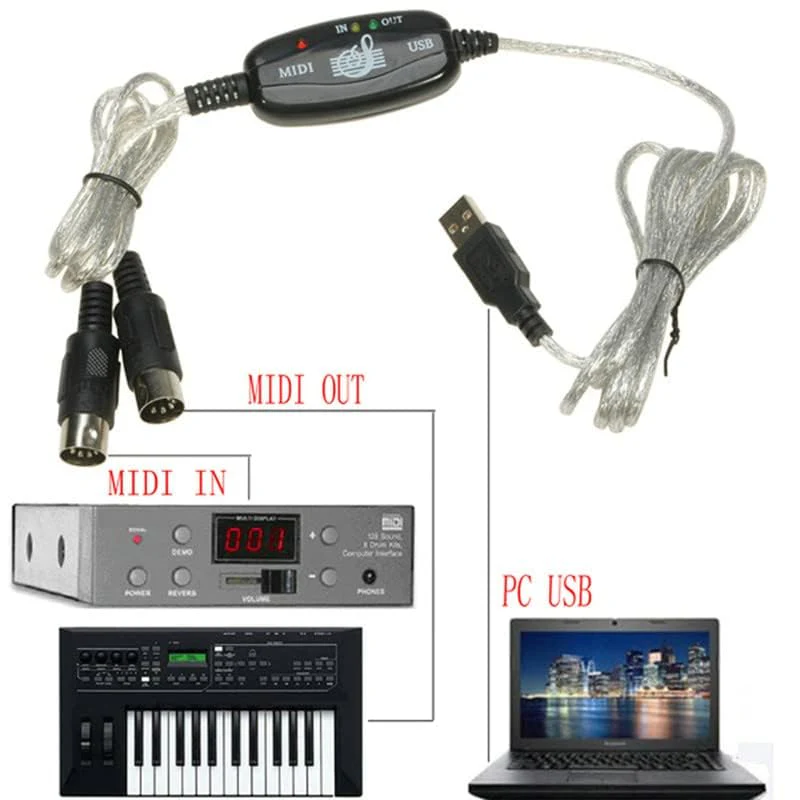
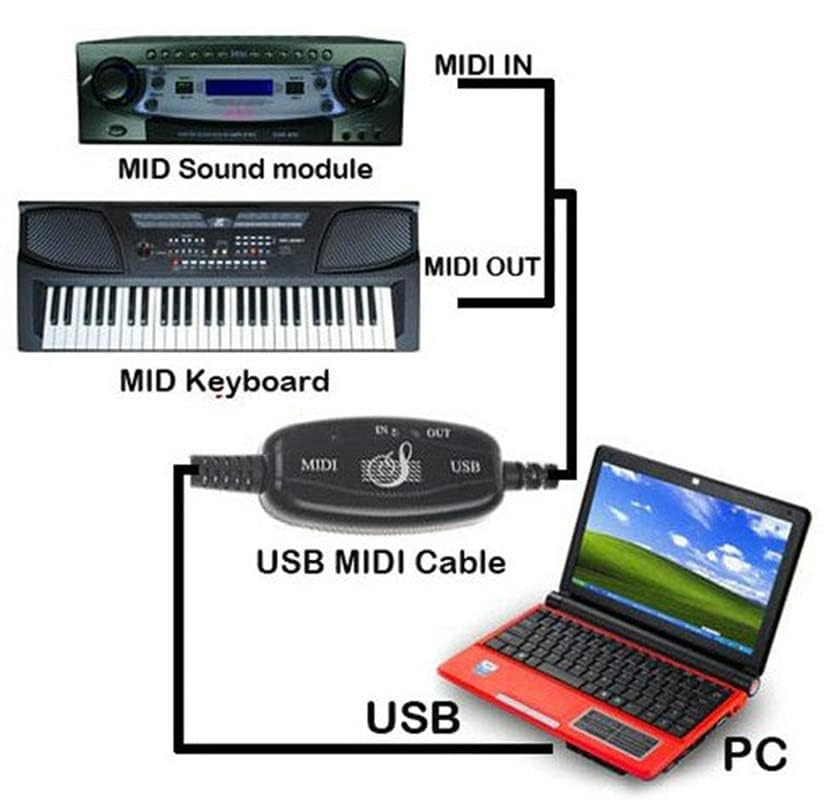
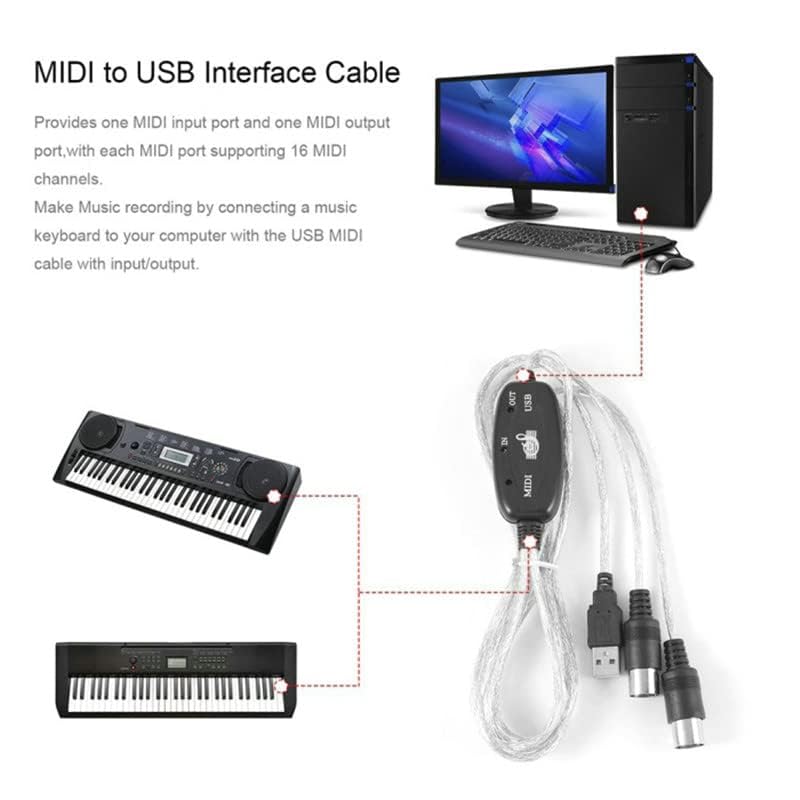
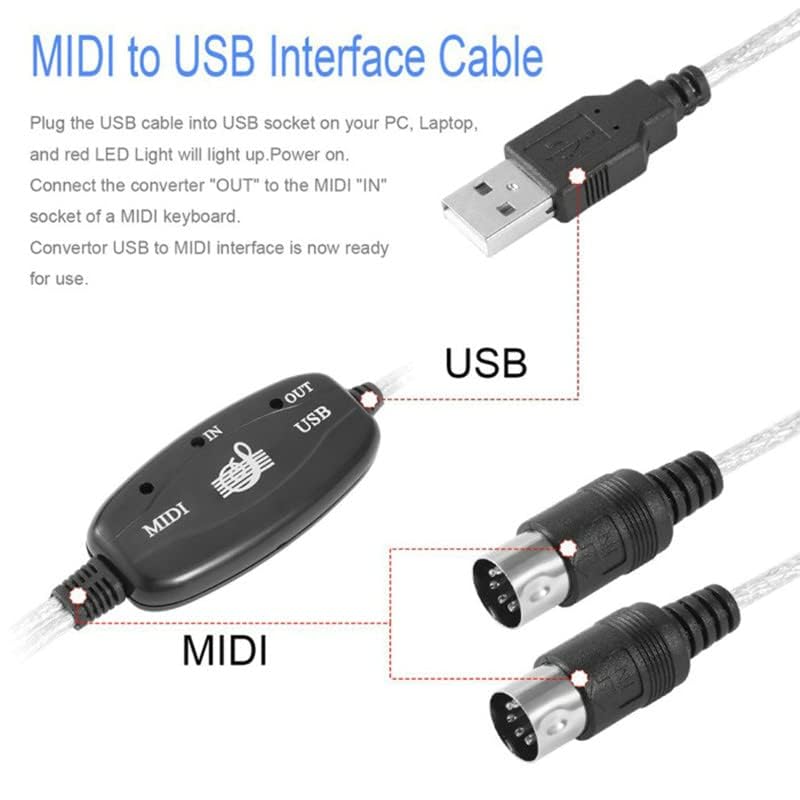
Features:: How to use: 1. Connect the "up" to the MIDI "OUT" jack of a MIDI keyboard cable (or MIDI device). 2. Connect the "OUT" to the MIDI "IN" jack of a MIDI keyboard cable (from MIDI device). 3. Plug the USB cable into a free USB port on the computer The red LED lights up to indicate the power supply. 4.Open your music software like Cubase,Sonar,MIDI connectors,etc 5. Set the music programs to MIDI and MIDI out devices "USB Audio Device" 6. Your USB MIDI interface is now ready for use. Material: plastic Use the registry issues: USB did not work successfully. You need to change the interface to control the drive, or download the driver to control the computer's USB drive Package Included: 1 x USB Electronic Organ Music Line
Product Features
- 16 MIDI input channels and 16 MIDI output channels
- LEDs show power, MIDI on and MIDI from USB bus;
- Does not require external power supply
- Supports Windows XP, Windows 7
- Cable length: 2.0 m
More Images
USB MIDI Cable Adapter, B60 Midi USB Cable Interface Converter 5-Pole in Out Midi to USB Adapter 2m
USB MIDI Cable Adapter, B60 Midi USB Cable Interface Converter 5-Pole in Out Midi to USB Adapter 2m
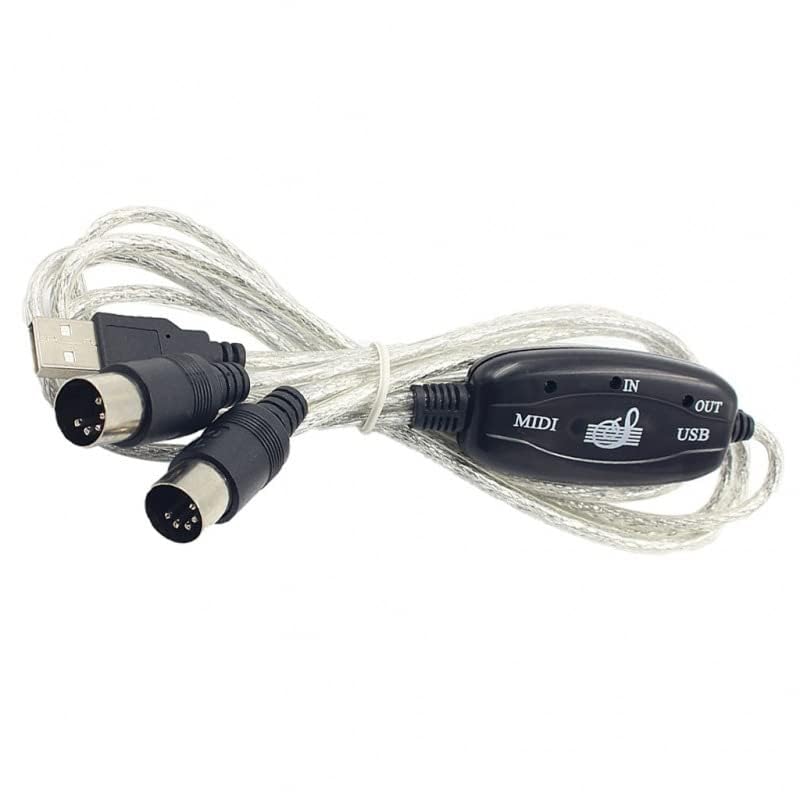
Features:: How to use: 1. Connect the "up" to the MIDI "OUT" jack of a MIDI keyboard cable (or MIDI device). 2. Connect the "OUT" to the MIDI "IN" jack of a MIDI keyboard cable (from MIDI device). 3. Plug the USB cable into a free USB port on the computer The red LED lights up to indicate the power supply. 4.Open your music software like Cubase,Sonar,MIDI connectors,etc 5. Set the music programs to MIDI and MIDI out devices "USB Audio Device" 6. Your USB MIDI interface is now ready for use. Material: plastic Use the registry issues: USB did not work successfully. You need to change the interface to control the drive, or download the driver to control the computer's USB drive Package Included: 1 x USB Electronic Organ Music Line
Product Features
- 16 MIDI input channels and 16 MIDI output channels
- LEDs show power, MIDI on and MIDI from USB bus;
- Does not require external power supply
- Supports Windows XP, Windows 7
- Cable length: 2.0 m
Product Information
Product Information
Shipping & Returns
Shipping & Returns
Description
USB MIDI Cable Adapter, B60 Midi USB Cable Interface Converter 5-Pole in Out Midi to USB Adapter 2m
Features:: How to use: 1. Connect the "up" to the MIDI "OUT" jack of a MIDI keyboard cable (or MIDI device). 2. Connect the "OUT" to the MIDI "IN" jack of a MIDI keyboard cable (from MIDI device). 3. Plug the USB cable into a free USB port on the computer The red LED lights up to indicate the power supply. 4.Open your music software like Cubase,Sonar,MIDI connectors,etc 5. Set the music programs to MIDI and MIDI out devices "USB Audio Device" 6. Your USB MIDI interface is now ready for use. Material: plastic Use the registry issues: USB did not work successfully. You need to change the interface to control the drive, or download the driver to control the computer's USB drive Package Included: 1 x USB Electronic Organ Music Line
Product Features
- 16 MIDI input channels and 16 MIDI output channels
- LEDs show power, MIDI on and MIDI from USB bus;
- Does not require external power supply
- Supports Windows XP, Windows 7
- Cable length: 2.0 m