🚚 Free Worldwide Shipping on All Orders!Shop Now

HomeStore
SINWE G1 Gaming Audio Mixer, RGB Audio Interface with Pro-preamp,Bluetooth, Streaming PC Mixer with XLR/48V Phantom Power for Live Streaming, Podcasting, Content Create, Gaming(Black) Black
SINWE G1 Gaming Audio Mixer, RGB Audio Interface with Pro-preamp,Bluetooth, Streaming PC Mixer with XLR/48V Phantom Power for Live Streaming, Podcasting, Content Create, Gaming(Black) Black
SINWE G1 Gaming Audio Mixer, RGB Audio Interface with Pro-preamp,Bluetooth, Streaming PC Mixer with XLR/48V Phantom Power for Live Streaming, Podcasting, Content Create, Gaming(Black)
Product Features
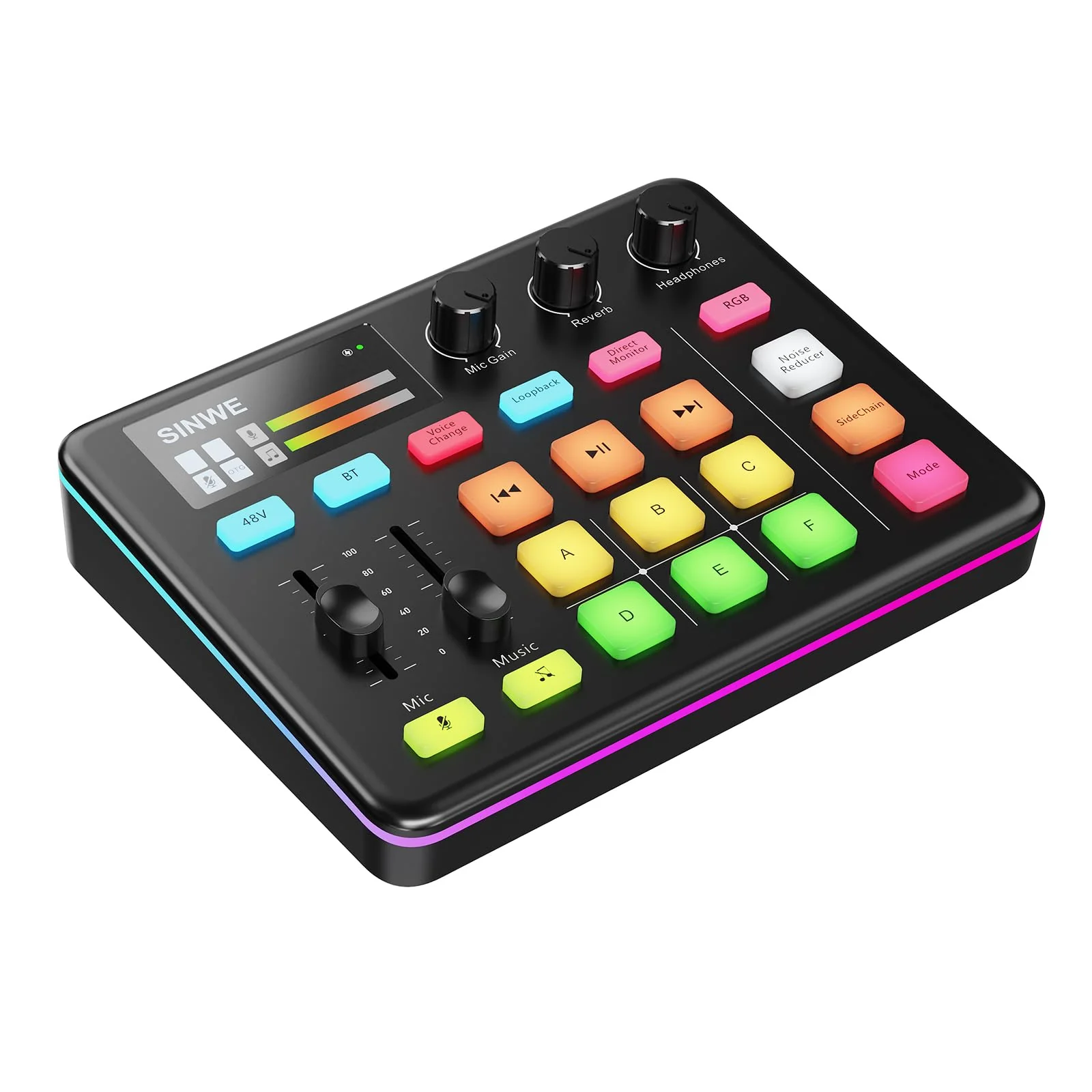
- Level Up Your Stream Setup:The SINWE G1 Gaming Audio Mixer is your all-in-one ticket to pro-level streaming! Packed with studio-grade sound, customizable RGB lighting, and ultra-smooth controls, its the ultimate weapon for gamers and streamers to dominate both gameplay engagement.
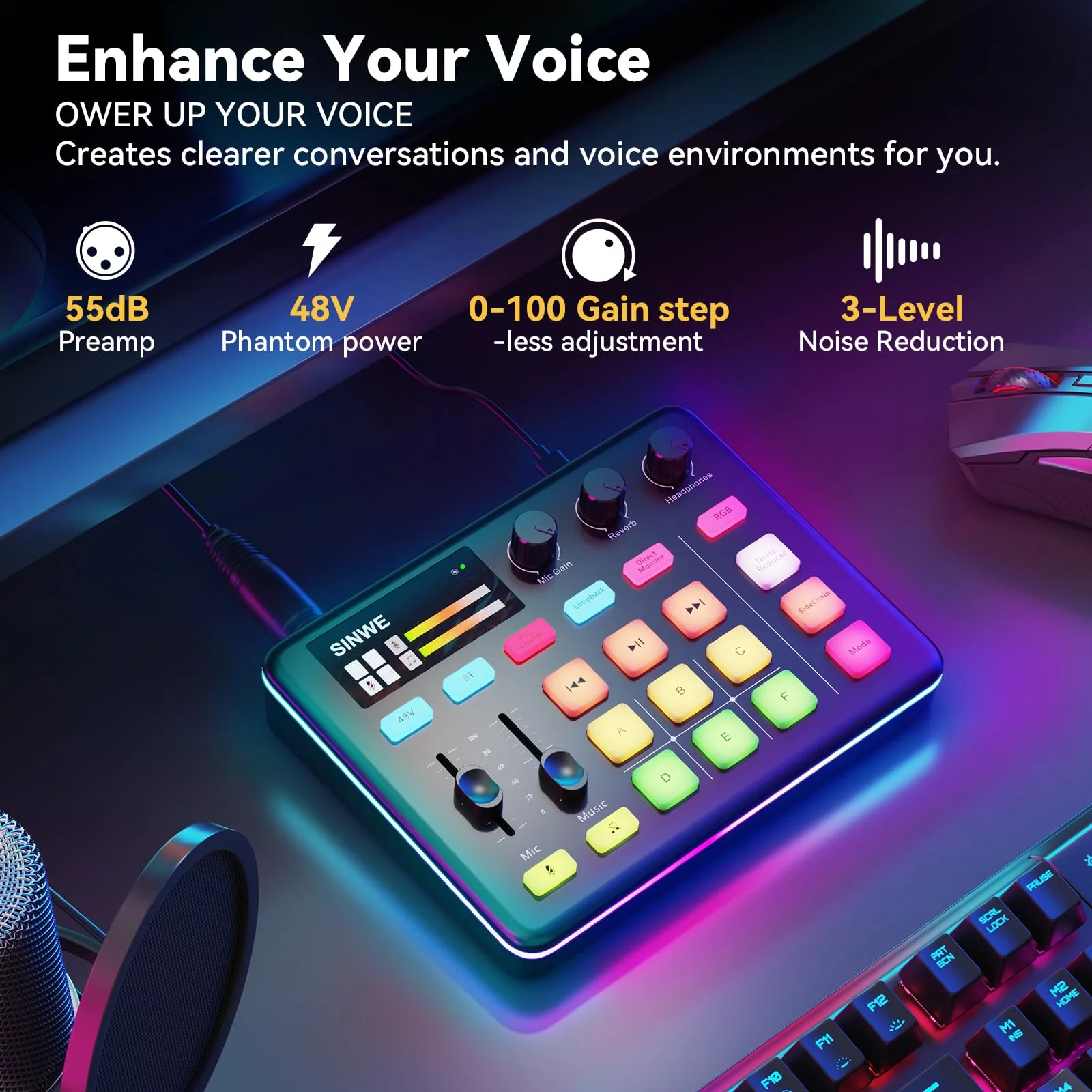
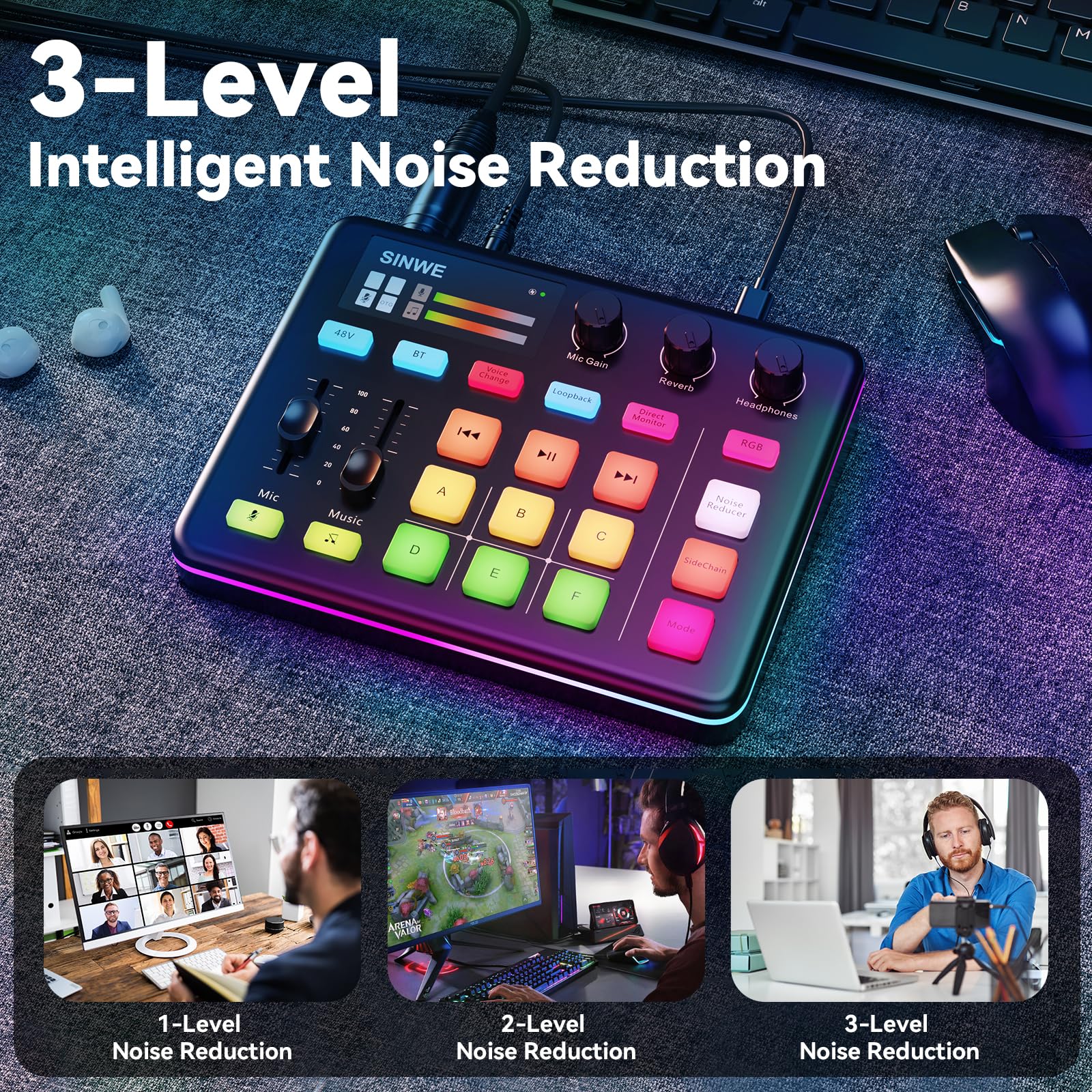
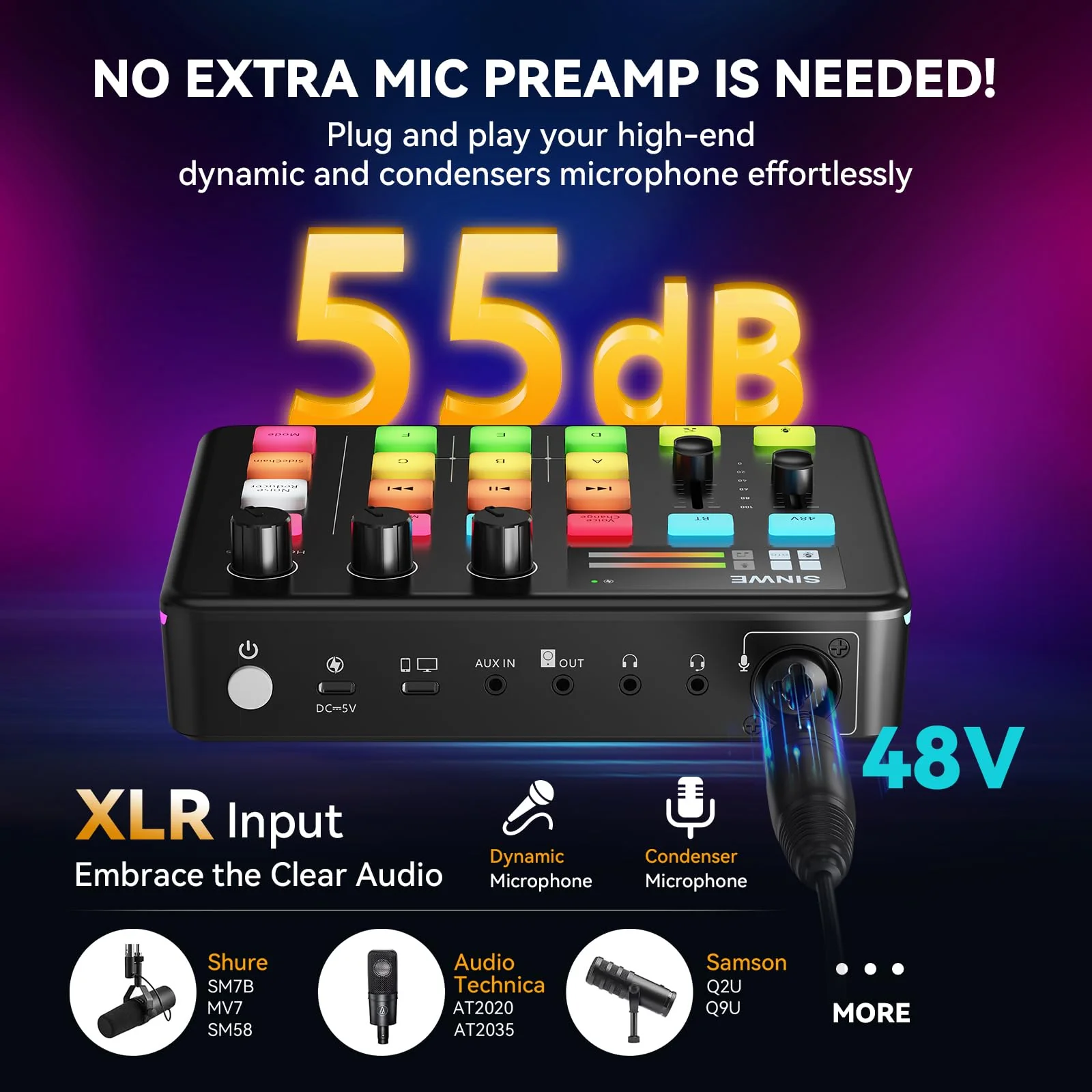
- Unleash Pro-Grade Audio:Powered by a studio-grade preamp + 48V Phantom Power, this mixer supercharges XLR mics for crisp, noise-free vocals. Three-step noise suppression ensures your teammates hear every commandnot background chaos. Perfect for raging boss battles or chill podcast chats!
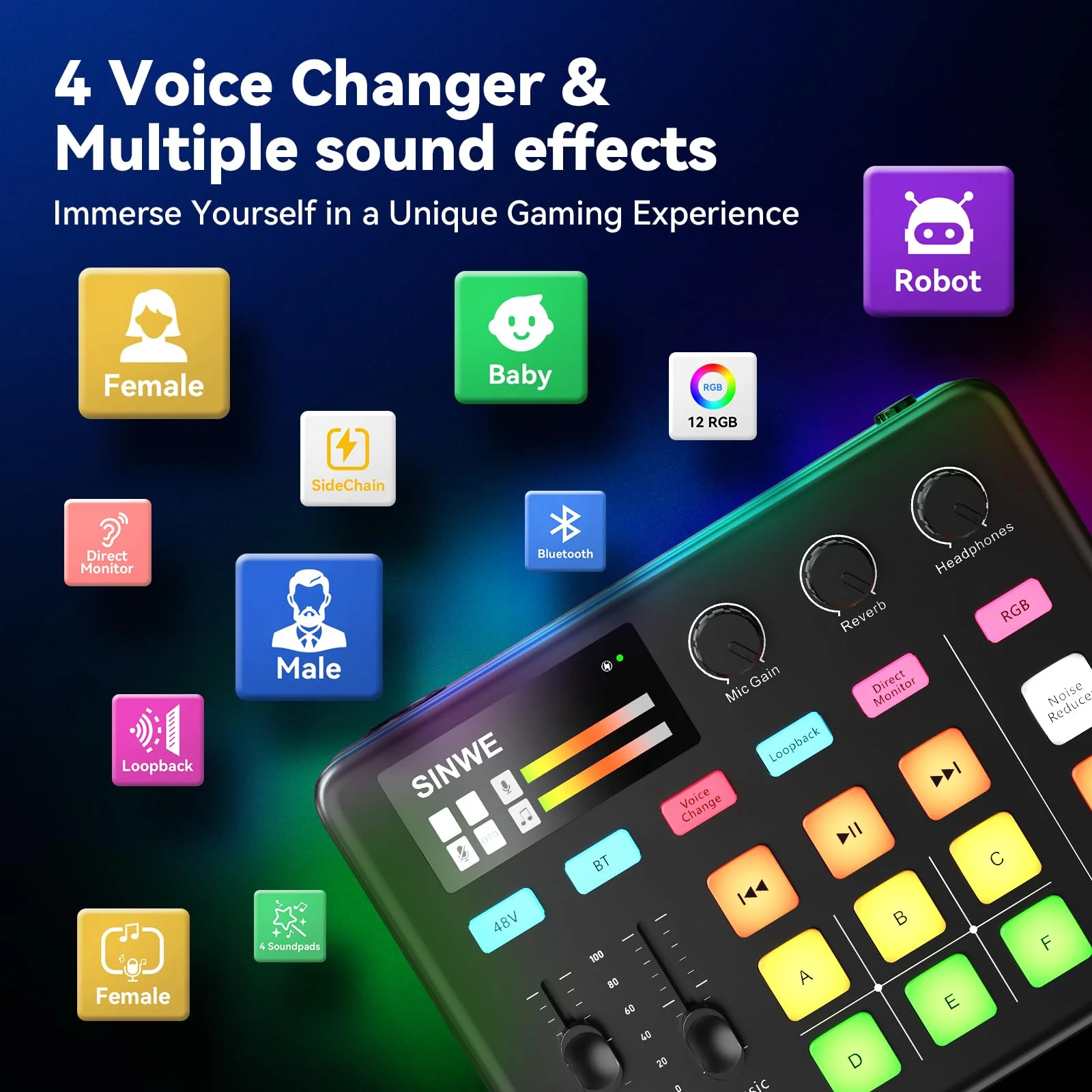
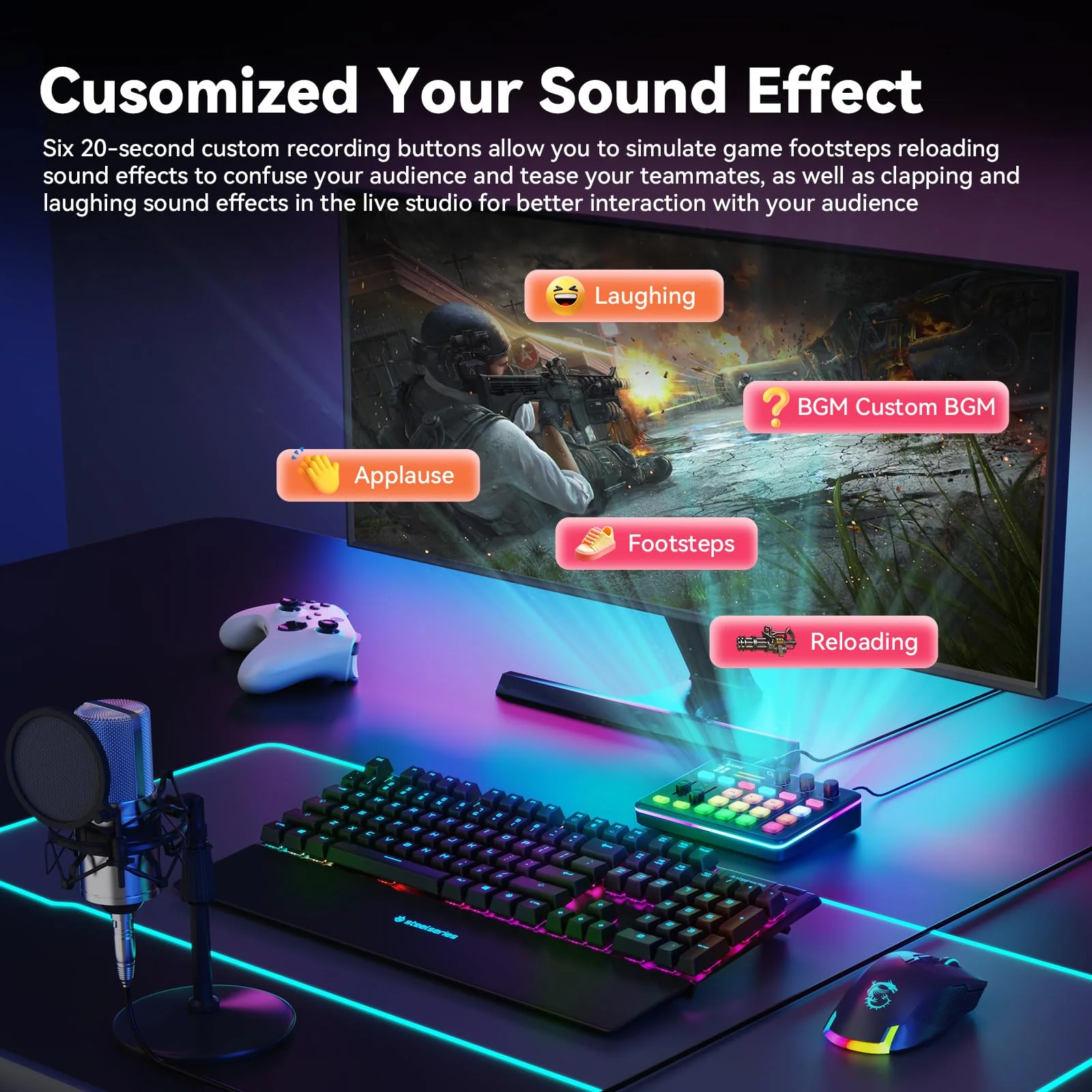
- More interesting sound experience:The voice change feature allows you to bring a whole new dimension to your gaming streams, you can become the female, male, baby, or robot, creating an engaging and entertaining experience for your viewers.Program 6 sound pads for instant memes, intros, or hype tracks. Bonus: Add reverb or sidechain effects to serenade your squad mid-stream.
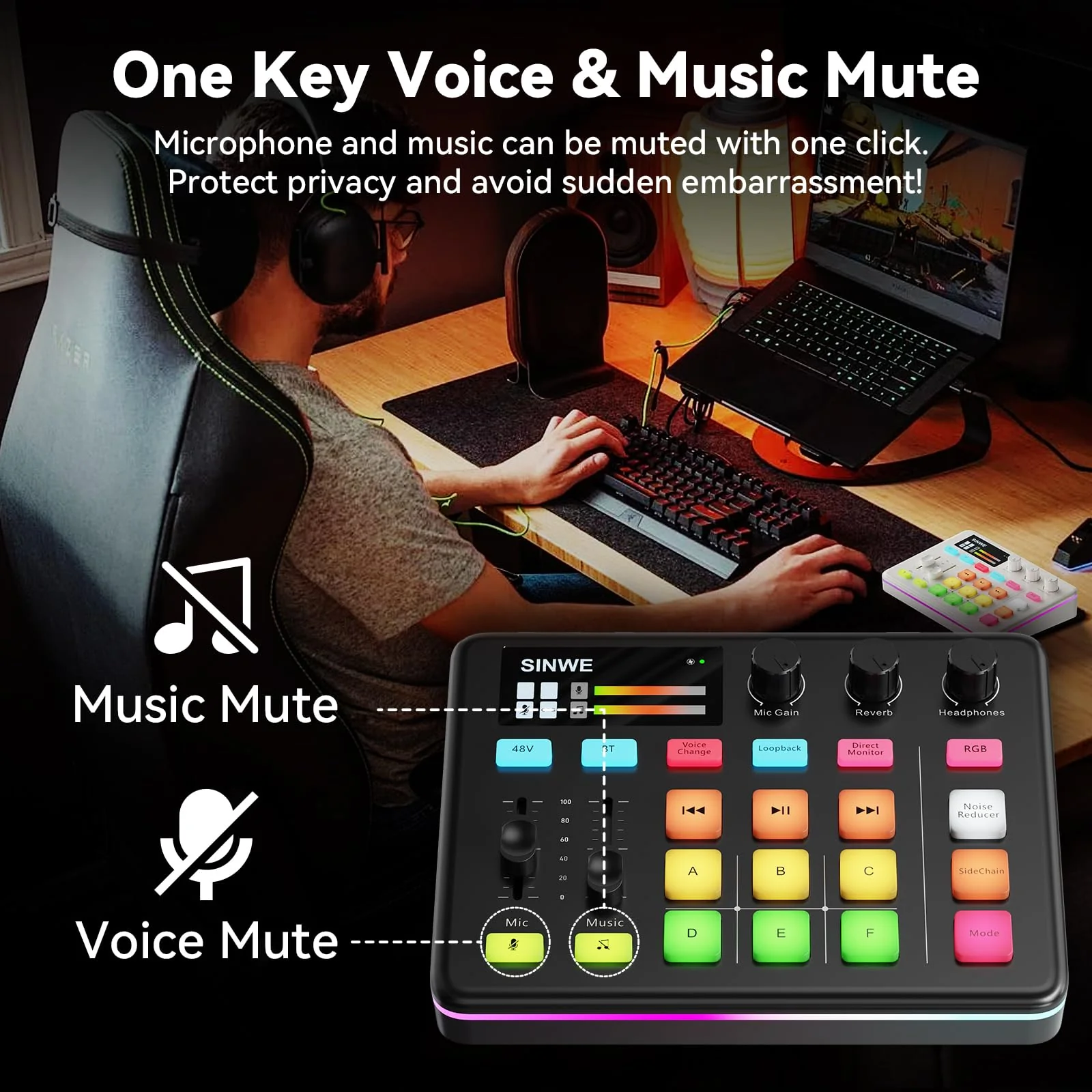
- Plug. Play. Slay:No tech headaches here! An intuitive interface + Bluetooth backing tracks let you focus on winning. One-click mute, loopback, and monitor modes keep you in control. Even the power button is chefs kisssleek and stupid-easy to use.
- RGB That Matches Your Vibe:Make your console more gorgeous with 12 dynamic RGB modespulse to the beat, glow like a neon arcade, or sync with your games mood. Looks as sharp as it sounds!
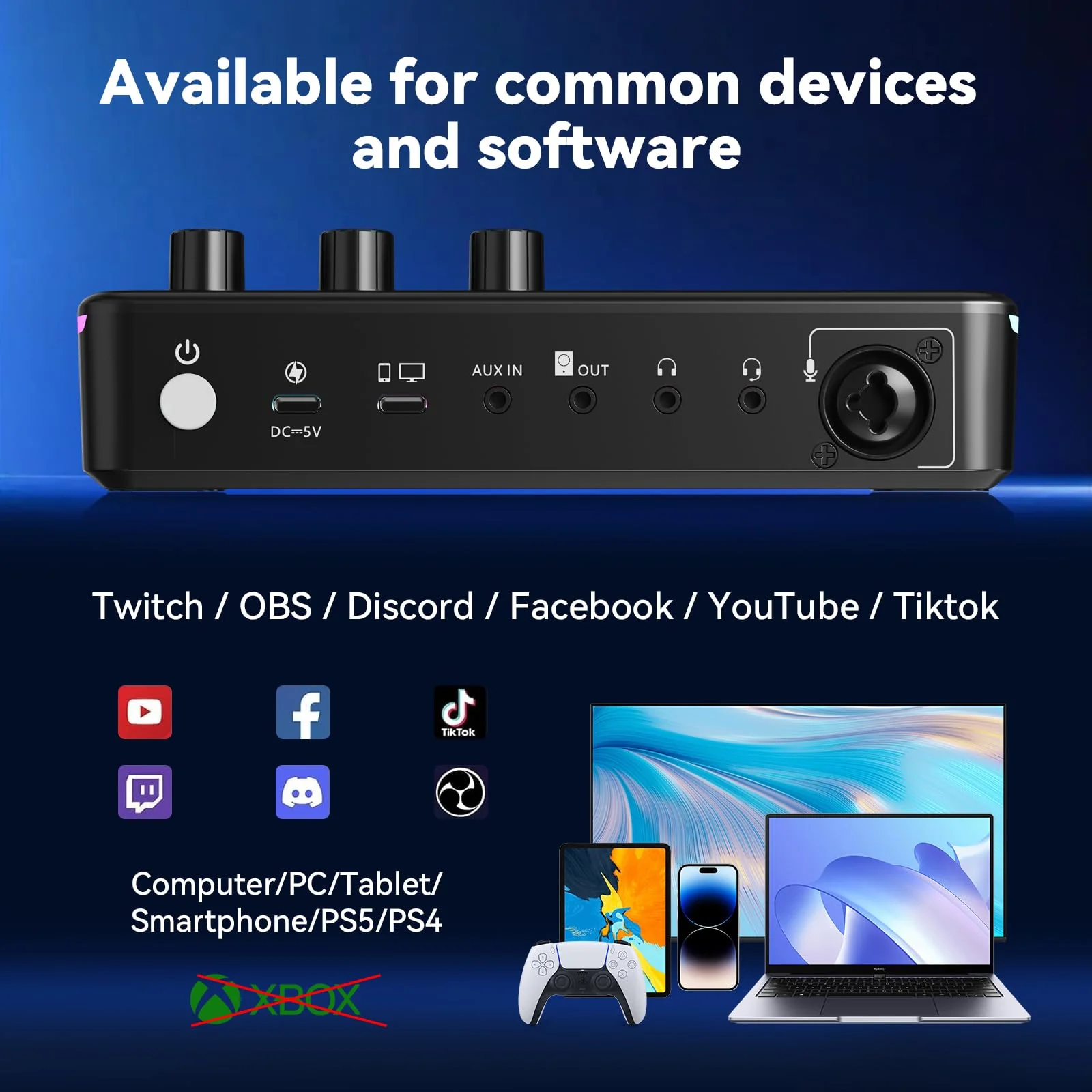
- Plays Nice With EVERYTHING:Works flawlessly with PC, PS4/5, phones, and apps like OBS, Twitch, TikTok, and Zoom. Note: Xbox/USB mics not supported.
- Whats Included: Mixer, USB-C + TRRS cables, manual. Pro tip: For a better user experience, please read the user manual before setting up.
$55.78
Original: $159.36
-65%SINWE G1 Gaming Audio Mixer, RGB Audio Interface with Pro-preamp,Bluetooth, Streaming PC Mixer with XLR/48V Phantom Power for Live Streaming, Podcasting, Content Create, Gaming(Black) Black—
$159.36
$55.78More Images
SINWE G1 Gaming Audio Mixer, RGB Audio Interface with Pro-preamp,Bluetooth, Streaming PC Mixer with XLR/48V Phantom Power for Live Streaming, Podcasting, Content Create, Gaming(Black) Black
SINWE G1 Gaming Audio Mixer, RGB Audio Interface with Pro-preamp,Bluetooth, Streaming PC Mixer with XLR/48V Phantom Power for Live Streaming, Podcasting, Content Create, Gaming(Black)
Product Features
- Level Up Your Stream Setup:The SINWE G1 Gaming Audio Mixer is your all-in-one ticket to pro-level streaming! Packed with studio-grade sound, customizable RGB lighting, and ultra-smooth controls, its the ultimate weapon for gamers and streamers to dominate both gameplay engagement.
- Unleash Pro-Grade Audio:Powered by a studio-grade preamp + 48V Phantom Power, this mixer supercharges XLR mics for crisp, noise-free vocals. Three-step noise suppression ensures your teammates hear every commandnot background chaos. Perfect for raging boss battles or chill podcast chats!
- More interesting sound experience:The voice change feature allows you to bring a whole new dimension to your gaming streams, you can become the female, male, baby, or robot, creating an engaging and entertaining experience for your viewers.Program 6 sound pads for instant memes, intros, or hype tracks. Bonus: Add reverb or sidechain effects to serenade your squad mid-stream.
- Plug. Play. Slay:No tech headaches here! An intuitive interface + Bluetooth backing tracks let you focus on winning. One-click mute, loopback, and monitor modes keep you in control. Even the power button is chefs kisssleek and stupid-easy to use.
- RGB That Matches Your Vibe:Make your console more gorgeous with 12 dynamic RGB modespulse to the beat, glow like a neon arcade, or sync with your games mood. Looks as sharp as it sounds!
- Plays Nice With EVERYTHING:Works flawlessly with PC, PS4/5, phones, and apps like OBS, Twitch, TikTok, and Zoom. Note: Xbox/USB mics not supported.
- Whats Included: Mixer, USB-C + TRRS cables, manual. Pro tip: For a better user experience, please read the user manual before setting up.
Product Information
Product Information
Shipping & Returns
Shipping & Returns
Description
SINWE G1 Gaming Audio Mixer, RGB Audio Interface with Pro-preamp,Bluetooth, Streaming PC Mixer with XLR/48V Phantom Power for Live Streaming, Podcasting, Content Create, Gaming(Black)
Product Features
- Level Up Your Stream Setup:The SINWE G1 Gaming Audio Mixer is your all-in-one ticket to pro-level streaming! Packed with studio-grade sound, customizable RGB lighting, and ultra-smooth controls, its the ultimate weapon for gamers and streamers to dominate both gameplay engagement.
- Unleash Pro-Grade Audio:Powered by a studio-grade preamp + 48V Phantom Power, this mixer supercharges XLR mics for crisp, noise-free vocals. Three-step noise suppression ensures your teammates hear every commandnot background chaos. Perfect for raging boss battles or chill podcast chats!
- More interesting sound experience:The voice change feature allows you to bring a whole new dimension to your gaming streams, you can become the female, male, baby, or robot, creating an engaging and entertaining experience for your viewers.Program 6 sound pads for instant memes, intros, or hype tracks. Bonus: Add reverb or sidechain effects to serenade your squad mid-stream.
- Plug. Play. Slay:No tech headaches here! An intuitive interface + Bluetooth backing tracks let you focus on winning. One-click mute, loopback, and monitor modes keep you in control. Even the power button is chefs kisssleek and stupid-easy to use.
- RGB That Matches Your Vibe:Make your console more gorgeous with 12 dynamic RGB modespulse to the beat, glow like a neon arcade, or sync with your games mood. Looks as sharp as it sounds!
- Plays Nice With EVERYTHING:Works flawlessly with PC, PS4/5, phones, and apps like OBS, Twitch, TikTok, and Zoom. Note: Xbox/USB mics not supported.
- Whats Included: Mixer, USB-C + TRRS cables, manual. Pro tip: For a better user experience, please read the user manual before setting up.