RUNCCI-YUN Set of 2 Adjustable DC Step Down Power Supply Converter, 4-40V Input to 1.25-37V Output Voltage Regulator with LED Voltmeter for DIY Arduino
RUNCCI-YUN Set of 2 Adjustable DC Step Down Power Supply Converter, 4-40V Input to 1.25-37V Output Voltage Regulator with LED Voltmeter for DIY Arduino
RUNCCI-YUN Set of 2 Adjustable DC Step Down Power Supply Converter, 4-40V Input to 1.25-37V Output Voltage Regulator with LED Voltmeter for DIY Arduino
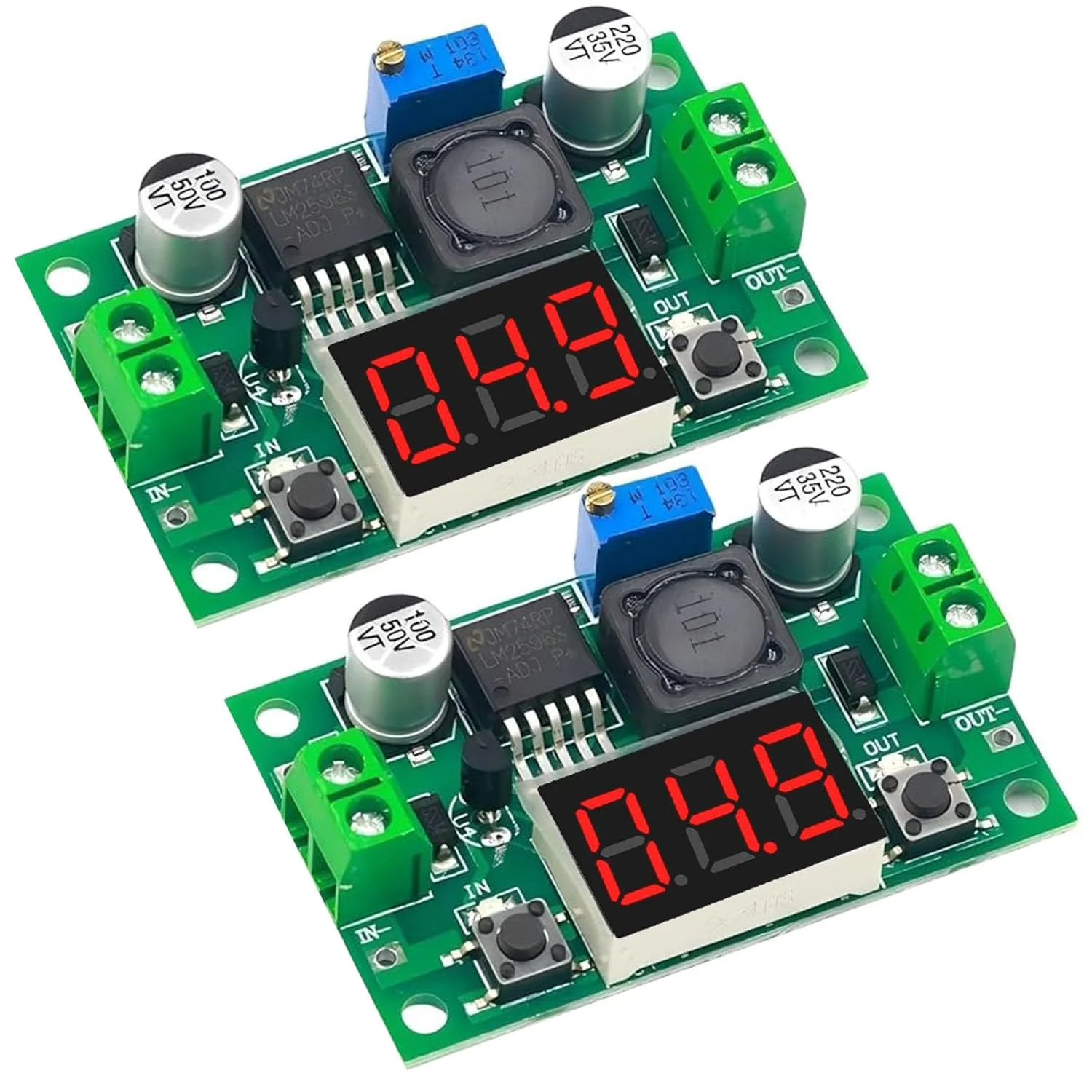
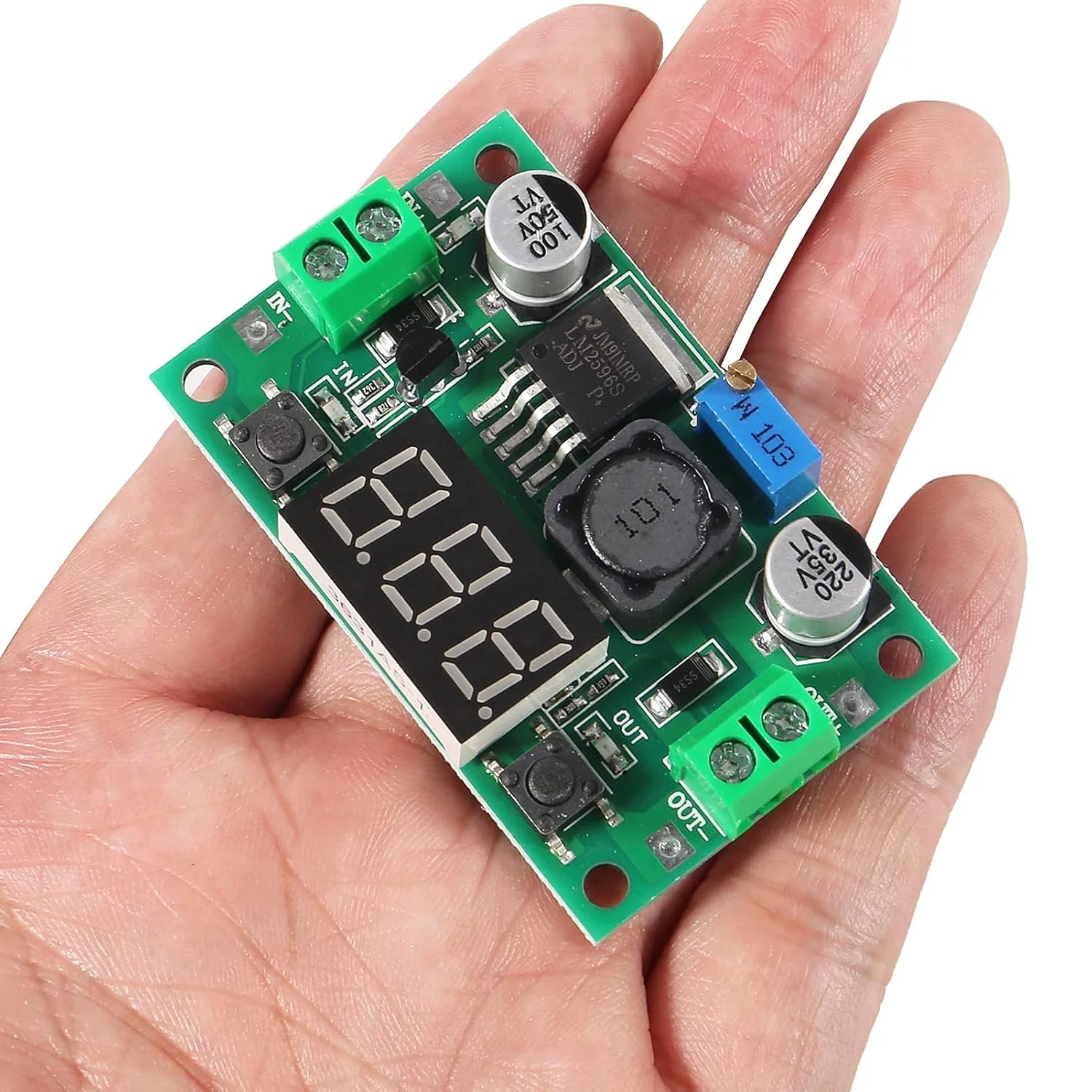
Parameters: Input voltage: 4-40V Output voltage: 2 A continuous power. Output current: maximum 15 W. Output power: 150 kHz. Ripple frequency: 100 mV. Grain peak: ±5%. Instruction manual: 1. With power indicator; 2. With voltmeter display, with advanced microprocessor, voltmeter error +0.05V, range 0-40V. To ensure the accuracy of the voltmeter, please make sure the input voltage is above 4V. 3. Press the button on the right to switch the input or output voltage. 4. The voltmeter can be switched off. When it is not needed, just touch the button on the left. 5. Thanks to the terminal blocks, it can be easily used without a soldering iron, and the welding wire connection point is retained. 6. The output current can be up to 3A, the normal stable operating current is 2A. 7. The voltage regulator has an internal oscillation frequency of 150 kHz and belongs to the second generation of switching voltage regulators with low power consumption and high efficiency. 8. It has overheating and short circuit protection. Note: 1. If power is above 15W, a heat sink should be used to improve heat dissipation. 2. If the output voltage cannot be adjusted, please turn the potentiometer counterclockwise more than 10 revolutions before starting. Package includes: 2 x DC-DC step-down converters.
Product Features
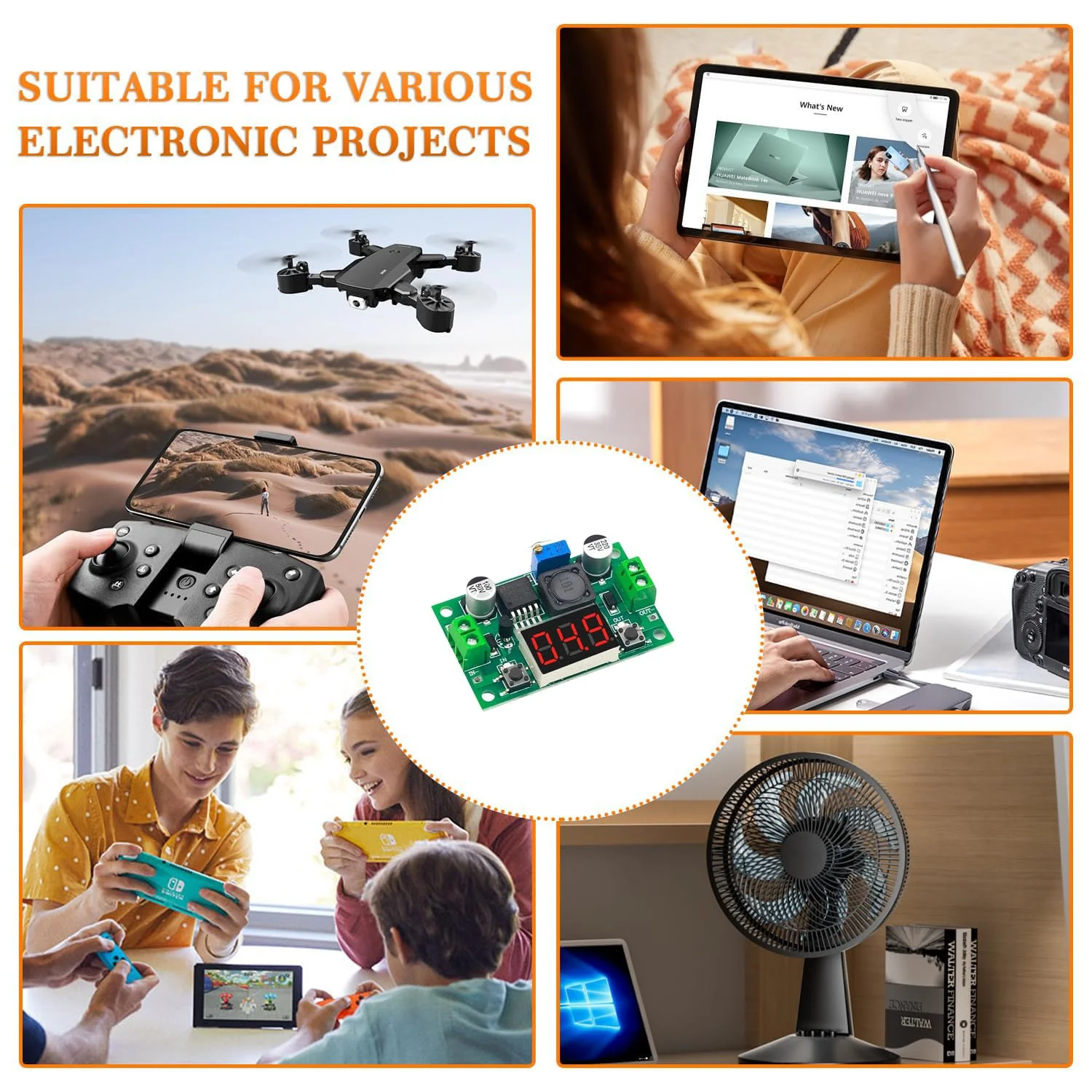
- Practical DC-DC Step-Down Converter The step-down converter lowers the voltage. Input Voltage: 4.0-40V, Output Voltage: 1.25-37V; Output Current: 2A, Output Power: 15W, Operating Frequency: 150KHz If the output voltage does not match the electrical system, you can adjust it manually.
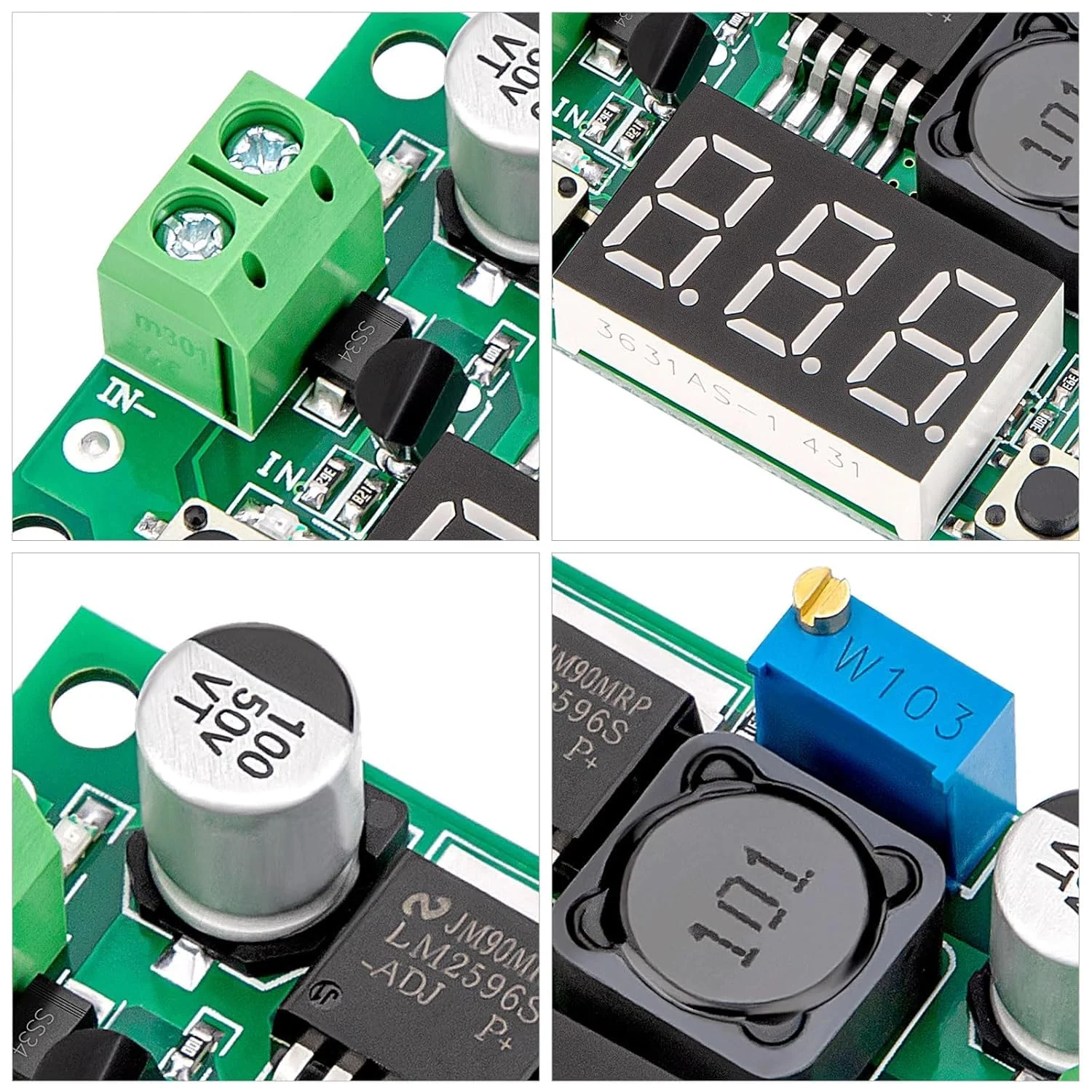
- Solderable Power CableThe soldering connection point is on the board, so you can solder the power cord as needed. If not, you can also connect it to the terminal block.
- OperationConnect the power supply to the input port of the step-down converter and check the output voltage. If the output voltage does not match the electrical system, turn the potentiometer with a screwdriver. Turning clockwise increases tension, turning counterclockwise reduces it. After checking the output voltage, connect the electrical device to the output port.
- LED Indicator The step-down converter shows the voltage and measures it precisely. To switch the display of input or output voltage, simply press the button on the right. To turn off the digital display, press the button on the left.
- NoteIf the output voltage cannot be adjusted and always corresponds to the input voltage, please turn the potentiometer counterclockwise more than 10 revolutions before you can use the module normally. The standard output voltage is factory 20V.
More Images
RUNCCI-YUN Set of 2 Adjustable DC Step Down Power Supply Converter, 4-40V Input to 1.25-37V Output Voltage Regulator with LED Voltmeter for DIY Arduino
RUNCCI-YUN Set of 2 Adjustable DC Step Down Power Supply Converter, 4-40V Input to 1.25-37V Output Voltage Regulator with LED Voltmeter for DIY Arduino
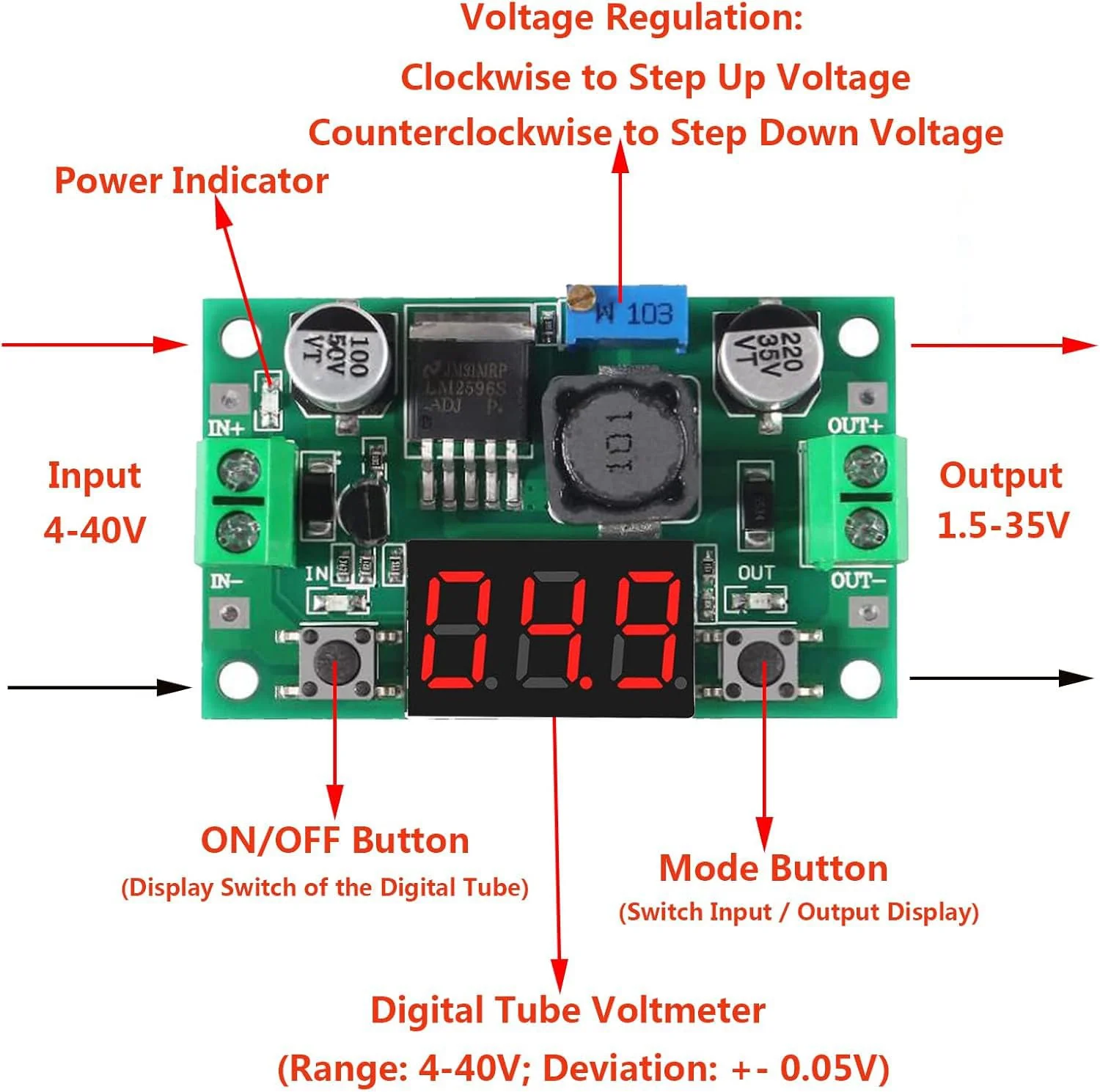
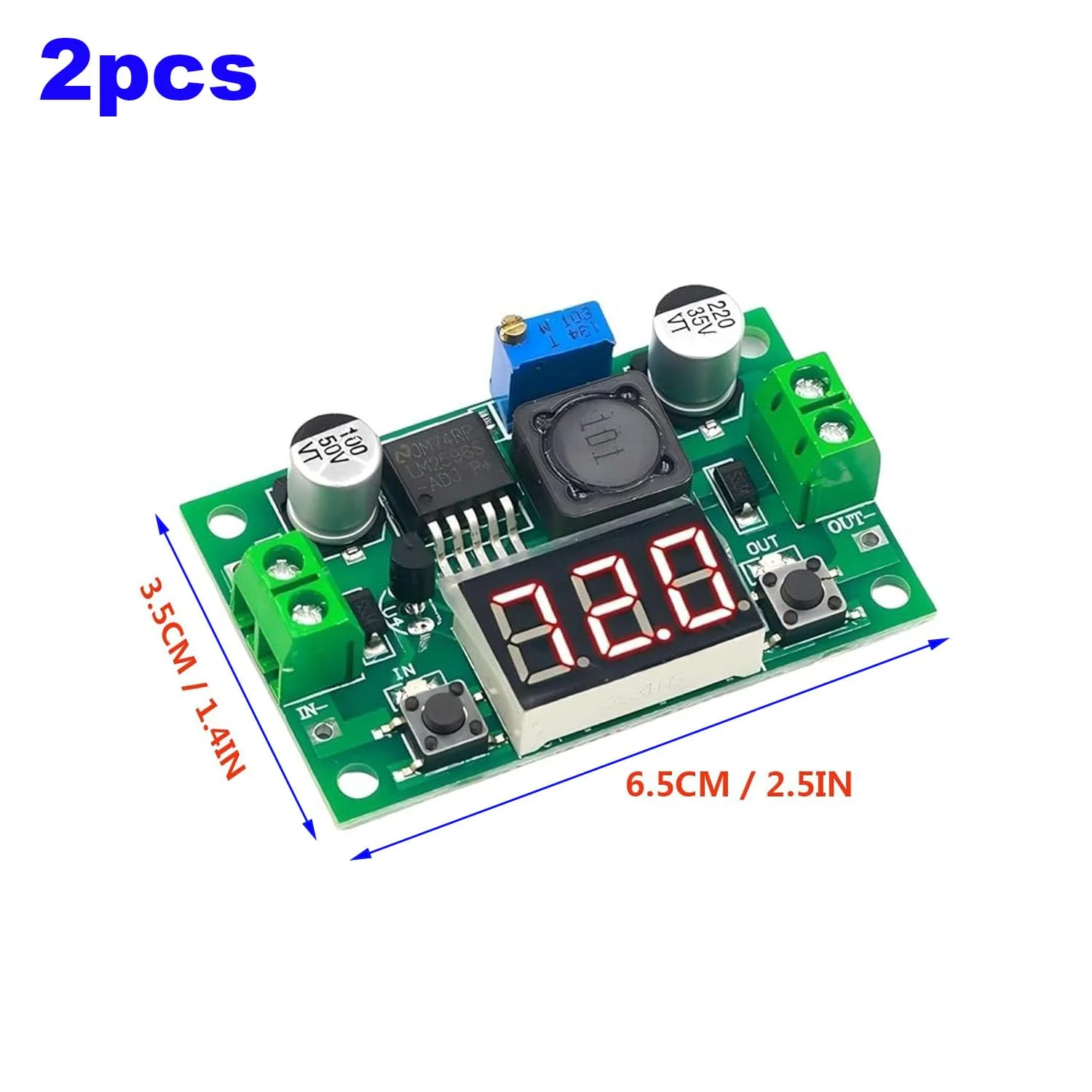
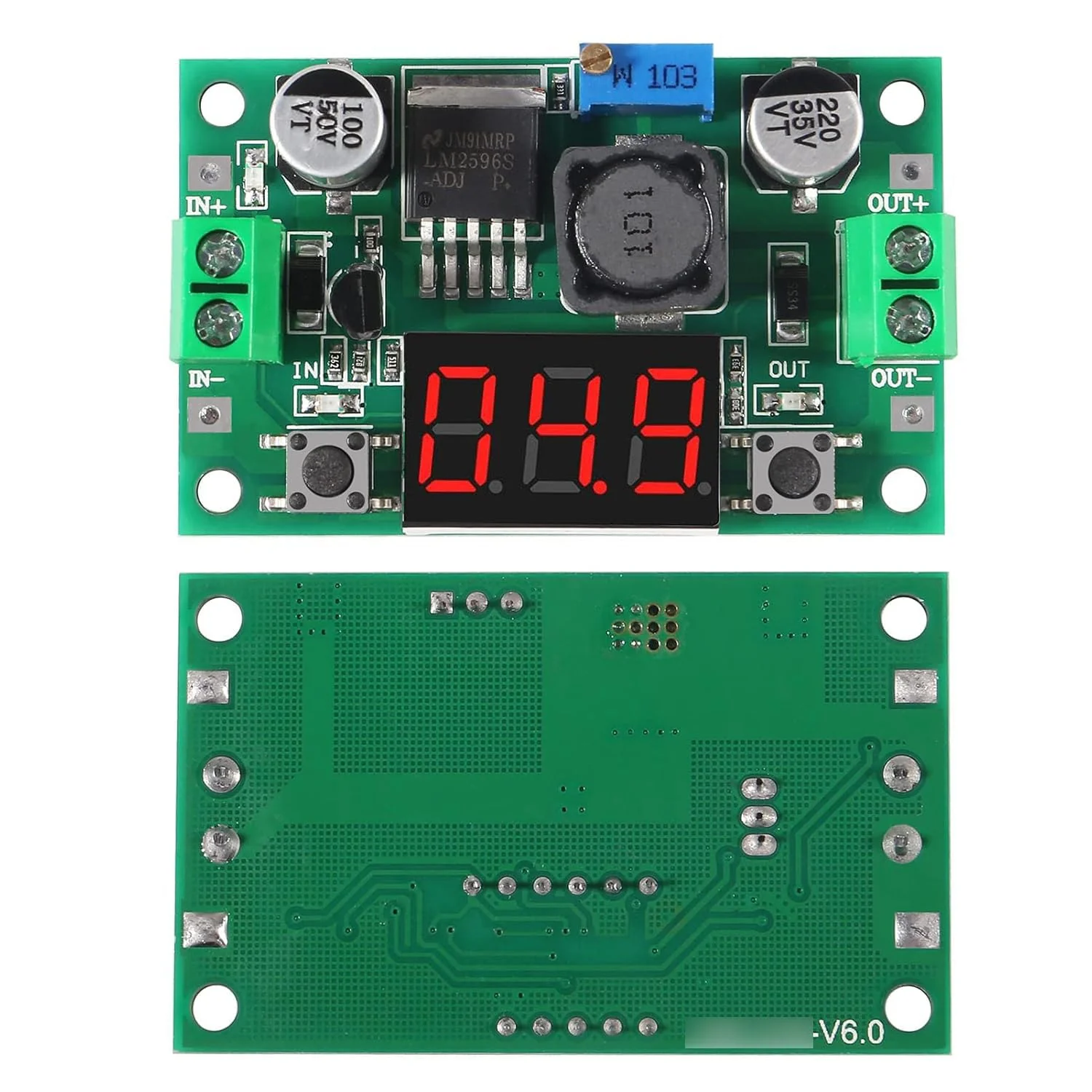
Parameters: Input voltage: 4-40V Output voltage: 2 A continuous power. Output current: maximum 15 W. Output power: 150 kHz. Ripple frequency: 100 mV. Grain peak: ±5%. Instruction manual: 1. With power indicator; 2. With voltmeter display, with advanced microprocessor, voltmeter error +0.05V, range 0-40V. To ensure the accuracy of the voltmeter, please make sure the input voltage is above 4V. 3. Press the button on the right to switch the input or output voltage. 4. The voltmeter can be switched off. When it is not needed, just touch the button on the left. 5. Thanks to the terminal blocks, it can be easily used without a soldering iron, and the welding wire connection point is retained. 6. The output current can be up to 3A, the normal stable operating current is 2A. 7. The voltage regulator has an internal oscillation frequency of 150 kHz and belongs to the second generation of switching voltage regulators with low power consumption and high efficiency. 8. It has overheating and short circuit protection. Note: 1. If power is above 15W, a heat sink should be used to improve heat dissipation. 2. If the output voltage cannot be adjusted, please turn the potentiometer counterclockwise more than 10 revolutions before starting. Package includes: 2 x DC-DC step-down converters.
Product Features
- Practical DC-DC Step-Down Converter The step-down converter lowers the voltage. Input Voltage: 4.0-40V, Output Voltage: 1.25-37V; Output Current: 2A, Output Power: 15W, Operating Frequency: 150KHz If the output voltage does not match the electrical system, you can adjust it manually.
- Solderable Power CableThe soldering connection point is on the board, so you can solder the power cord as needed. If not, you can also connect it to the terminal block.
- OperationConnect the power supply to the input port of the step-down converter and check the output voltage. If the output voltage does not match the electrical system, turn the potentiometer with a screwdriver. Turning clockwise increases tension, turning counterclockwise reduces it. After checking the output voltage, connect the electrical device to the output port.
- LED Indicator The step-down converter shows the voltage and measures it precisely. To switch the display of input or output voltage, simply press the button on the right. To turn off the digital display, press the button on the left.
- NoteIf the output voltage cannot be adjusted and always corresponds to the input voltage, please turn the potentiometer counterclockwise more than 10 revolutions before you can use the module normally. The standard output voltage is factory 20V.
Product Information
Product Information
Shipping & Returns
Shipping & Returns
Description
RUNCCI-YUN Set of 2 Adjustable DC Step Down Power Supply Converter, 4-40V Input to 1.25-37V Output Voltage Regulator with LED Voltmeter for DIY Arduino
Parameters: Input voltage: 4-40V Output voltage: 2 A continuous power. Output current: maximum 15 W. Output power: 150 kHz. Ripple frequency: 100 mV. Grain peak: ±5%. Instruction manual: 1. With power indicator; 2. With voltmeter display, with advanced microprocessor, voltmeter error +0.05V, range 0-40V. To ensure the accuracy of the voltmeter, please make sure the input voltage is above 4V. 3. Press the button on the right to switch the input or output voltage. 4. The voltmeter can be switched off. When it is not needed, just touch the button on the left. 5. Thanks to the terminal blocks, it can be easily used without a soldering iron, and the welding wire connection point is retained. 6. The output current can be up to 3A, the normal stable operating current is 2A. 7. The voltage regulator has an internal oscillation frequency of 150 kHz and belongs to the second generation of switching voltage regulators with low power consumption and high efficiency. 8. It has overheating and short circuit protection. Note: 1. If power is above 15W, a heat sink should be used to improve heat dissipation. 2. If the output voltage cannot be adjusted, please turn the potentiometer counterclockwise more than 10 revolutions before starting. Package includes: 2 x DC-DC step-down converters.
Product Features
- Practical DC-DC Step-Down Converter The step-down converter lowers the voltage. Input Voltage: 4.0-40V, Output Voltage: 1.25-37V; Output Current: 2A, Output Power: 15W, Operating Frequency: 150KHz If the output voltage does not match the electrical system, you can adjust it manually.
- Solderable Power CableThe soldering connection point is on the board, so you can solder the power cord as needed. If not, you can also connect it to the terminal block.
- OperationConnect the power supply to the input port of the step-down converter and check the output voltage. If the output voltage does not match the electrical system, turn the potentiometer with a screwdriver. Turning clockwise increases tension, turning counterclockwise reduces it. After checking the output voltage, connect the electrical device to the output port.
- LED Indicator The step-down converter shows the voltage and measures it precisely. To switch the display of input or output voltage, simply press the button on the right. To turn off the digital display, press the button on the left.
- NoteIf the output voltage cannot be adjusted and always corresponds to the input voltage, please turn the potentiometer counterclockwise more than 10 revolutions before you can use the module normally. The standard output voltage is factory 20V.