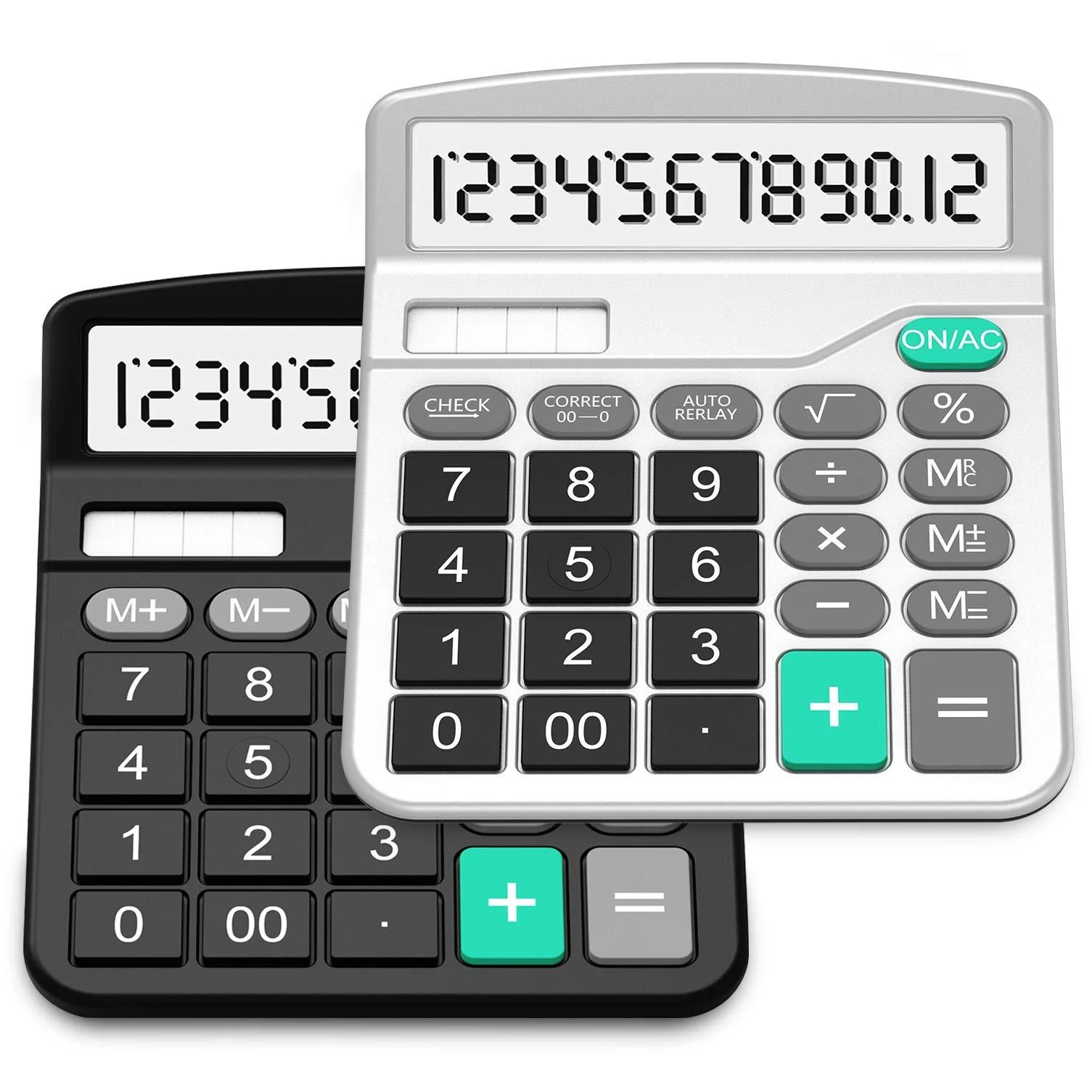
Calculator, Splaks 2 Pack Standard Functional Desktop Calculator Sola and AA Battery Dual Power Electronic Calculator with 12-Digit Large Display (1 Basic Black&1 Updated Silver) 1 Black&1 Silver
Calculator, Splaks 2 Pack Standard Functional Desktop Calculator Sola and AA Battery Dual Power Electronic Calculator with 12-Digit Large Display (1 Basic Black&1 Updated Silver) 1 Black&1 Silver
Calculator, Splaks 2 Pack Standard Functional Desktop Calculator Sola and AA Battery Dual Power Electronic Calculator with 12-Digit Large Display (1 Basic Black&1 Updated Silver)
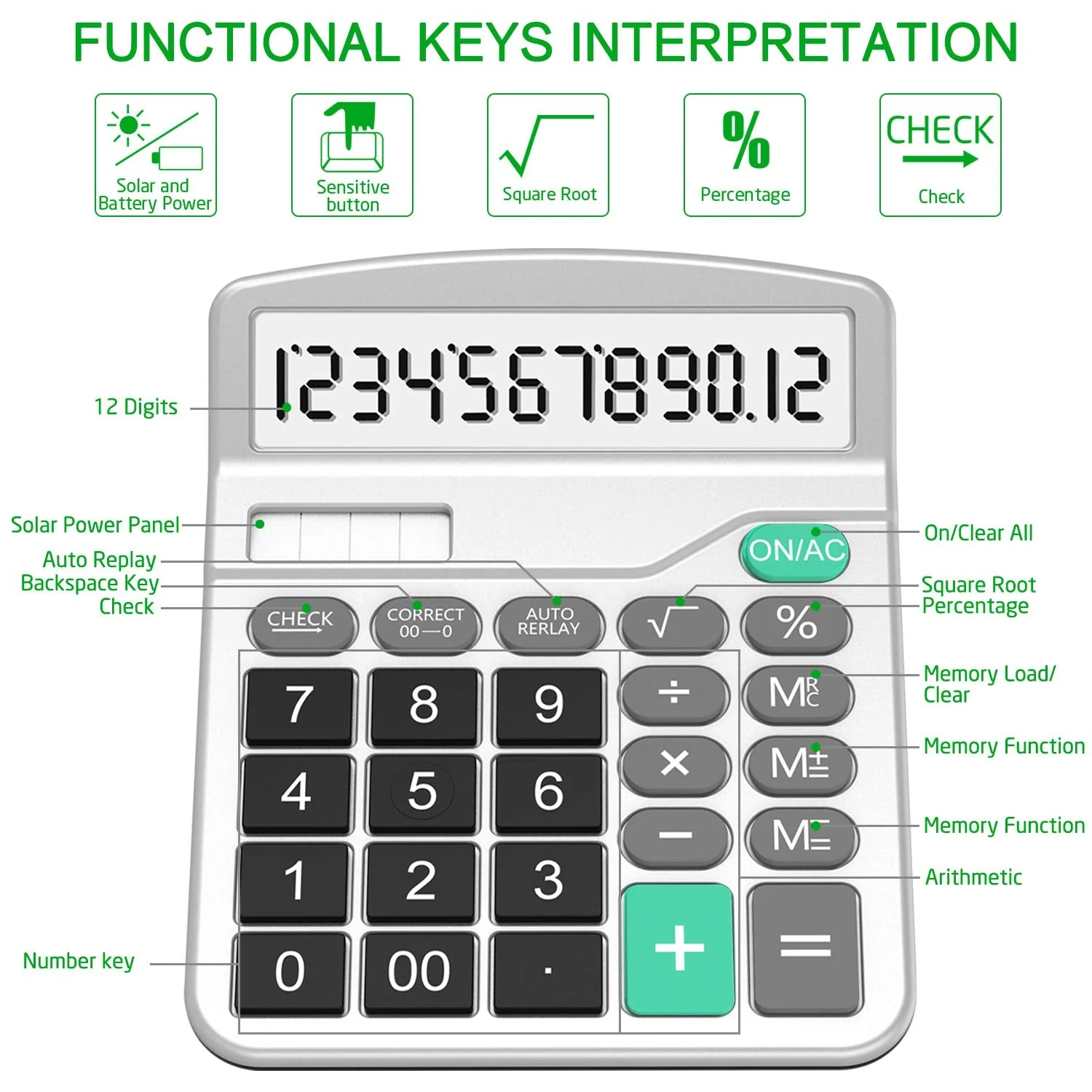
Color:1 Black&1 Silver [M+] Adds the number shown on the display to the number stored in the memory. Example:38 + 26. If you directly inputs these numbers to the calculator,you will see the wrong answer: 156. If you press [38], [M+], [26], [M+], then press [MRC] once, you will get the right answer: 36. [M-] Subtracts the number shown on the display to the number stored in the memory. [MRC] Combination of [MR] and [MC]. [MR]: Recall the current memory register value. [MC]: Clear the memory register (set to zero). When you press the key once, the [MR] key was activated, when you press the key twice, the [MC] was activated. [GT] Whenever the [=] key has been pressed, the result will be stored into the Grand Total MemoryExample: If you want to calculate [23+35+68],press [23=], then [35=], then [68=]. Then press [GT], you will get the right answer 69 [MU] Stands for Mark Up, which is for calculating GROSS PROFIT MARGIN (GPM). Example: Enter [100] then press the [÷], then [15] then [MU] key, you will see 117.65 (15% of this total equates to 17.65) [CORRECT] It helps you correct wrong number. If you want to press 458, but you pressed 459, you can then press [CORRECT] key to delete 9 and press [8] key again to correct it [AUTO REPLAY] It helps replay your operation you just pressed You pressed [4x5=] and you will see 20, then you press the [AUTO REPLAY] and you will see 5x, 3, 15 in the calculator screen [CHECK] It helps replay your operation step by step. You pressed [4x5=] and you will see 20, then you press the [CHECK] 3 times, you will see 4x,5,20 separately
Product Features
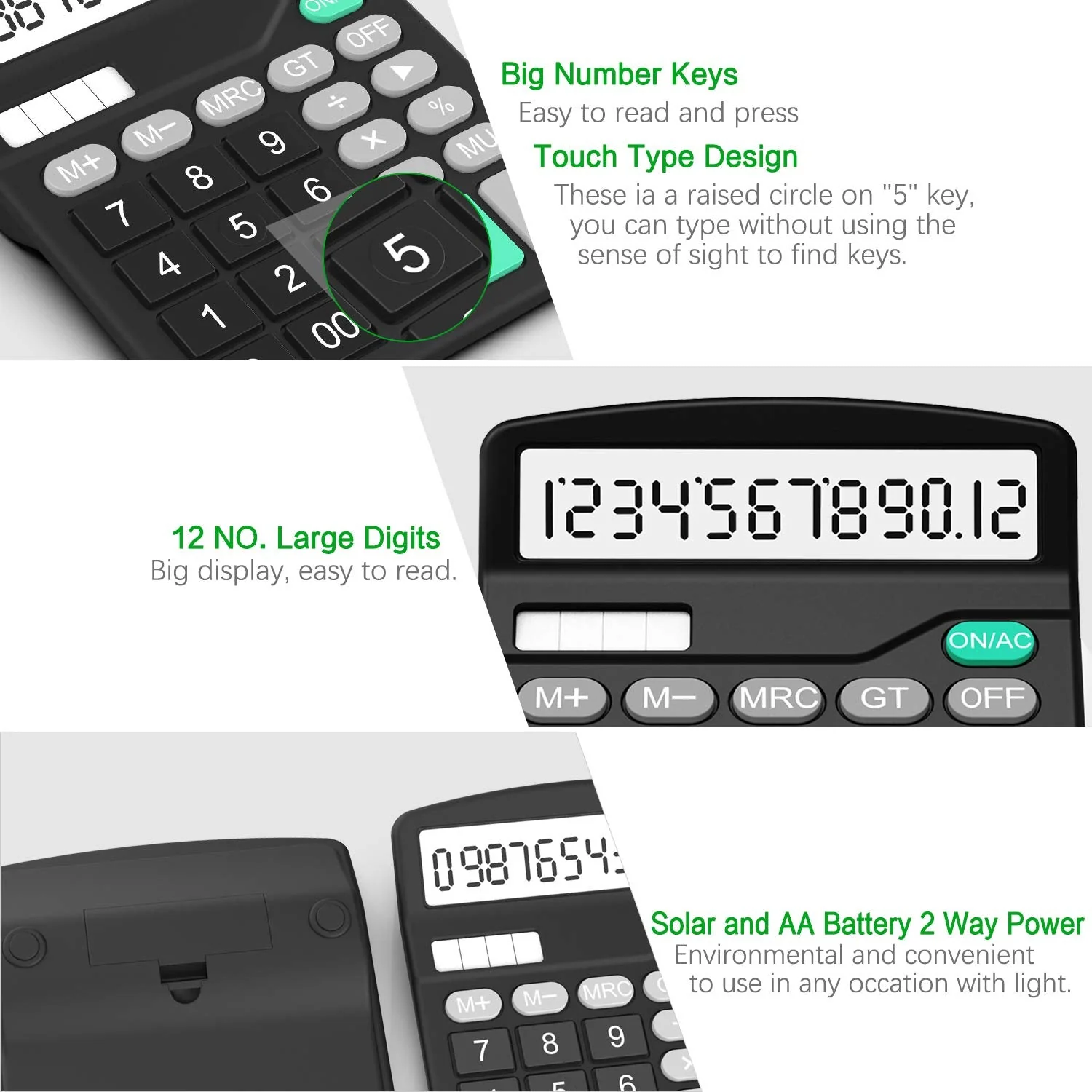
- DUAL POWERSolar (works only when it is bright) and Battery (one AA battery NOT included). Automatically Power off, save more energy. Note: Please insert one AA battery for continuous and accurate usage
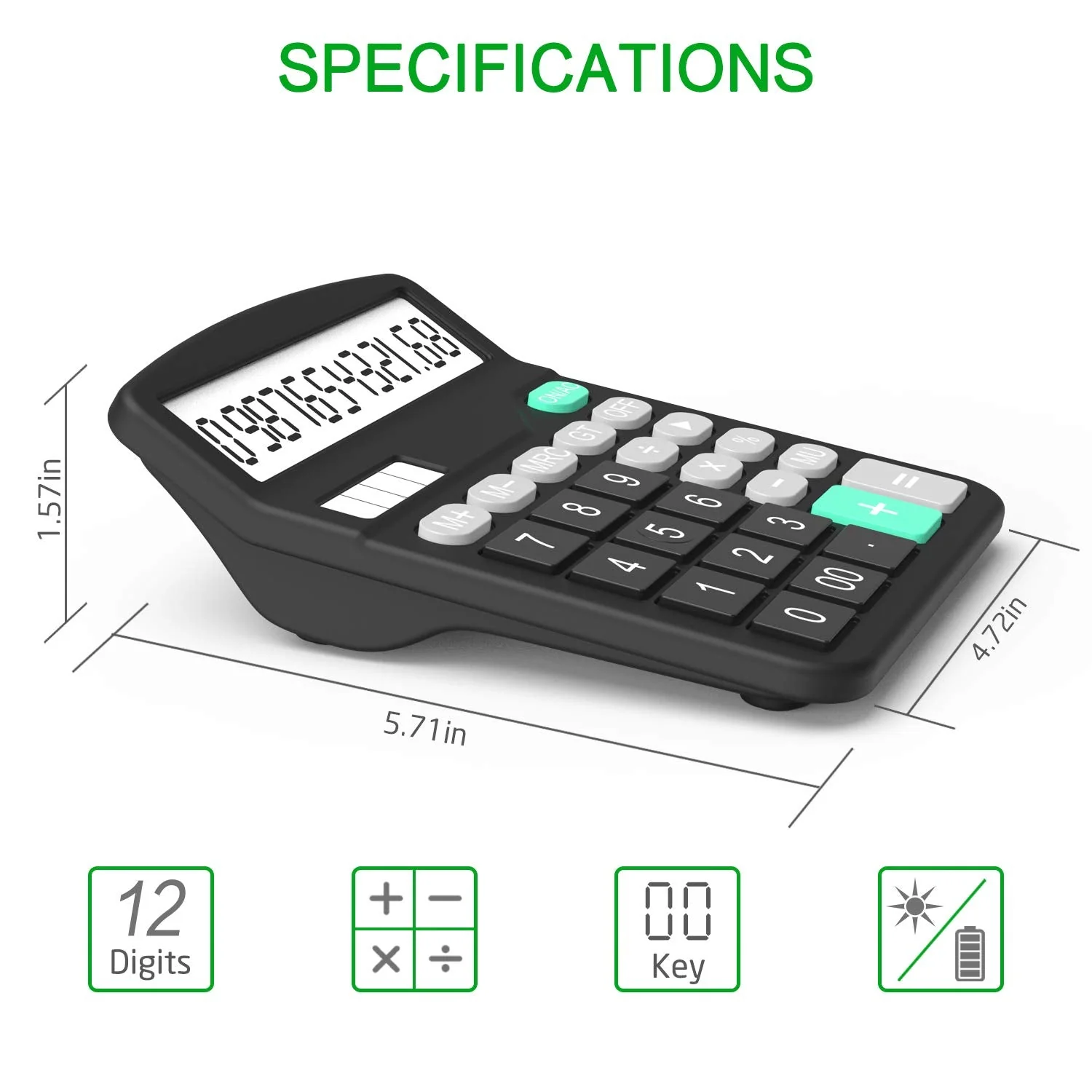
- 12 DIGITS CALCULATOR12 digits make the calculator most useful for large calculations. Suitable for businessman, worker, teacher, student or anybody that needs make any sort of calculation from time to time
- BIG BUTTON DESIGNLarge non-stick plastic button, new material, more durable. The calculators adopt scientific big button design in line with the use of human habits and comfortable for touch
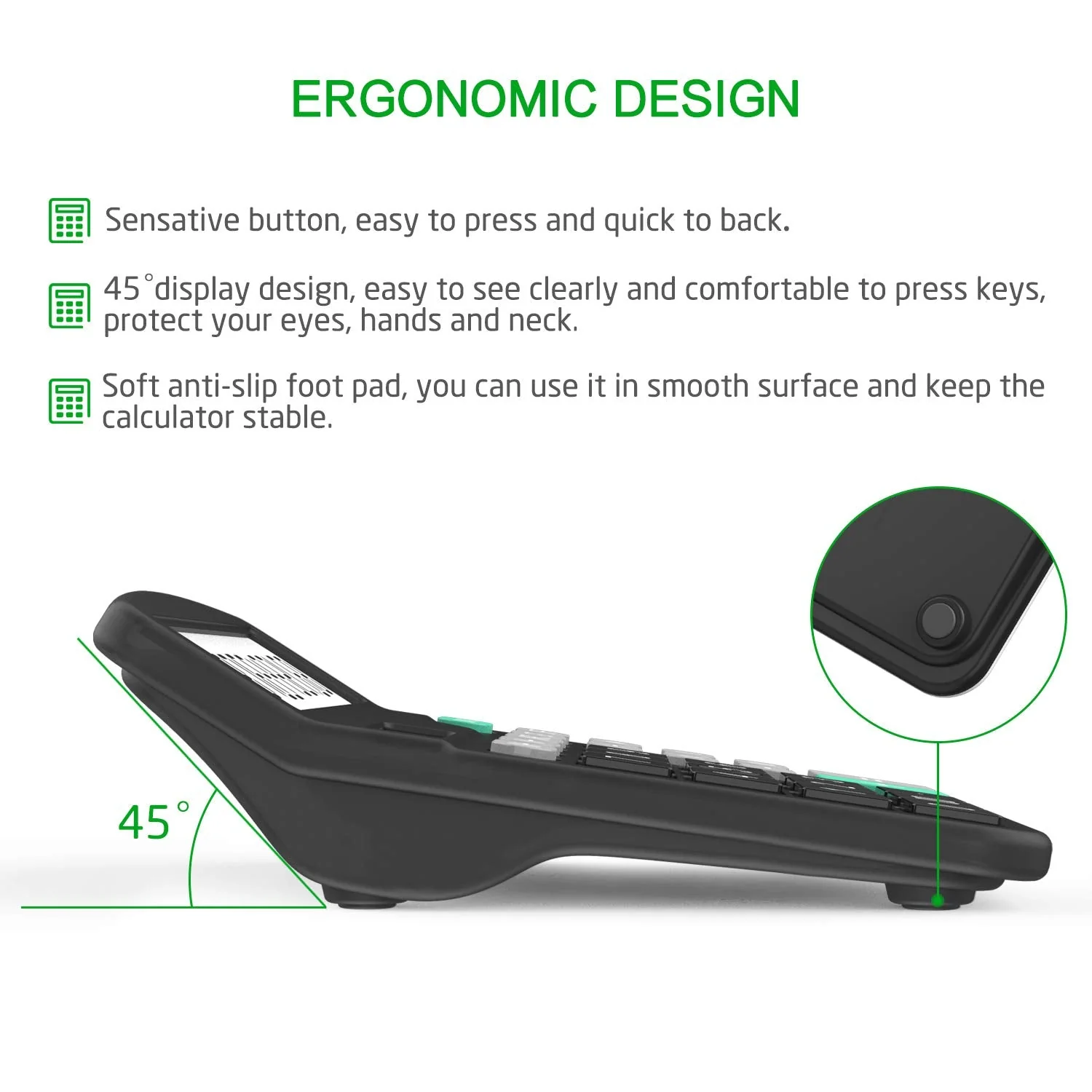
- LARGE DISPLAYLarge eye-angled, upright display, easy to read, easy to carry
- GREAT VALUE OF 2 PACK2 different functional calculators, 1 basic calculator, 1 updated calculator with root button
More Images
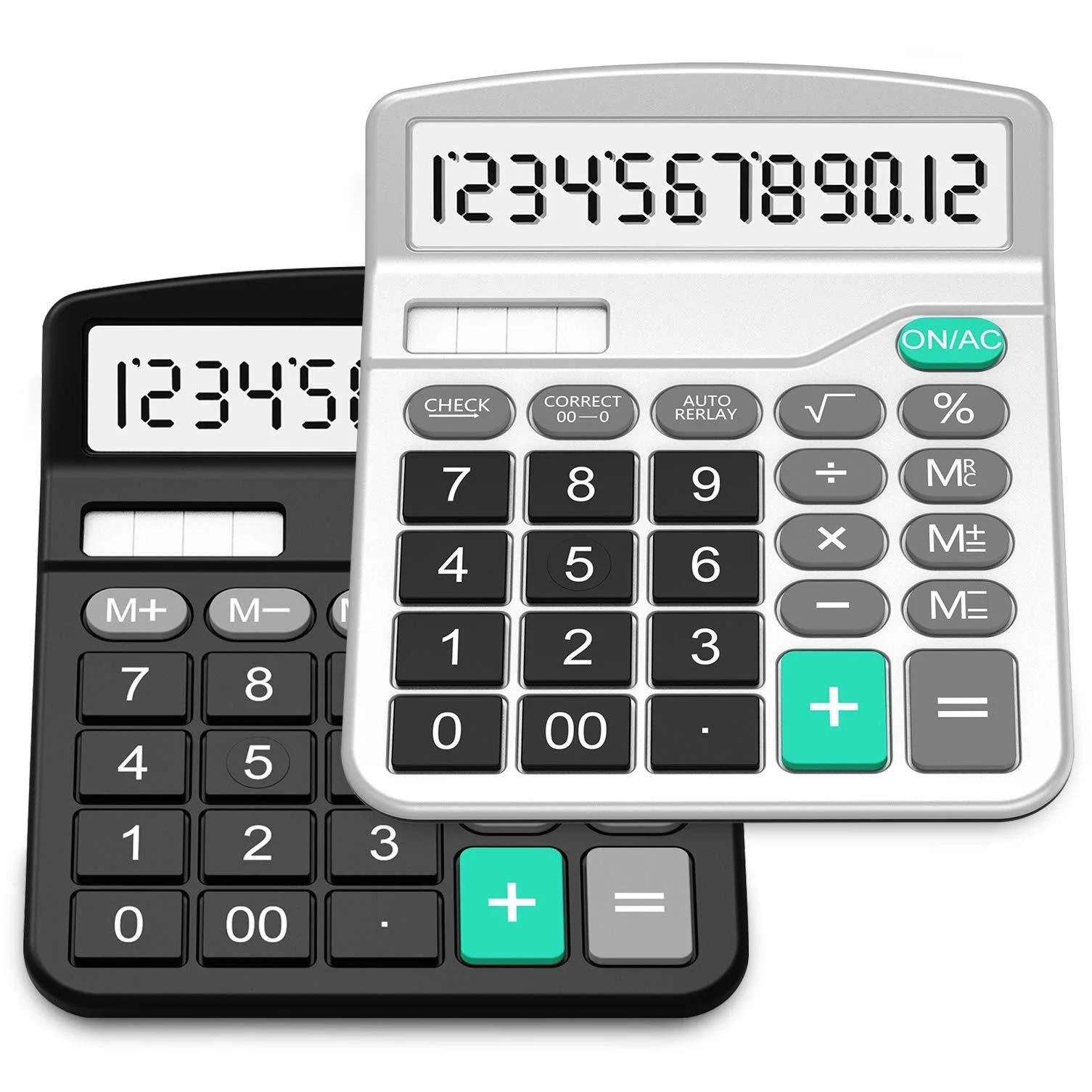
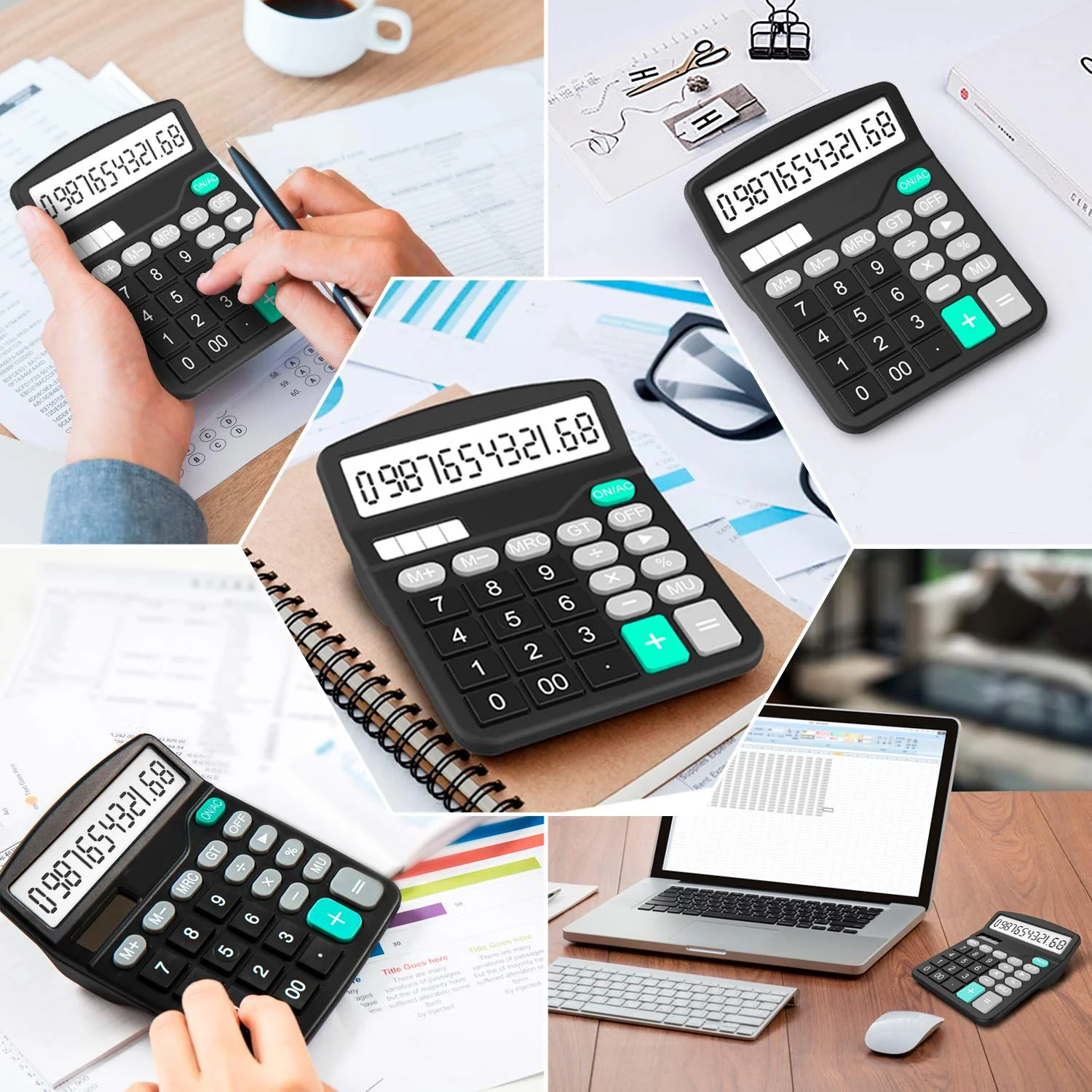

Calculator, Splaks 2 Pack Standard Functional Desktop Calculator Sola and AA Battery Dual Power Electronic Calculator with 12-Digit Large Display (1 Basic Black&1 Updated Silver) 1 Black&1 Silver
Calculator, Splaks 2 Pack Standard Functional Desktop Calculator Sola and AA Battery Dual Power Electronic Calculator with 12-Digit Large Display (1 Basic Black&1 Updated Silver)
Color:1 Black&1 Silver [M+] Adds the number shown on the display to the number stored in the memory. Example:38 + 26. If you directly inputs these numbers to the calculator,you will see the wrong answer: 156. If you press [38], [M+], [26], [M+], then press [MRC] once, you will get the right answer: 36. [M-] Subtracts the number shown on the display to the number stored in the memory. [MRC] Combination of [MR] and [MC]. [MR]: Recall the current memory register value. [MC]: Clear the memory register (set to zero). When you press the key once, the [MR] key was activated, when you press the key twice, the [MC] was activated. [GT] Whenever the [=] key has been pressed, the result will be stored into the Grand Total MemoryExample: If you want to calculate [23+35+68],press [23=], then [35=], then [68=]. Then press [GT], you will get the right answer 69 [MU] Stands for Mark Up, which is for calculating GROSS PROFIT MARGIN (GPM). Example: Enter [100] then press the [÷], then [15] then [MU] key, you will see 117.65 (15% of this total equates to 17.65) [CORRECT] It helps you correct wrong number. If you want to press 458, but you pressed 459, you can then press [CORRECT] key to delete 9 and press [8] key again to correct it [AUTO REPLAY] It helps replay your operation you just pressed You pressed [4x5=] and you will see 20, then you press the [AUTO REPLAY] and you will see 5x, 3, 15 in the calculator screen [CHECK] It helps replay your operation step by step. You pressed [4x5=] and you will see 20, then you press the [CHECK] 3 times, you will see 4x,5,20 separately
Product Features
- DUAL POWERSolar (works only when it is bright) and Battery (one AA battery NOT included). Automatically Power off, save more energy. Note: Please insert one AA battery for continuous and accurate usage
- 12 DIGITS CALCULATOR12 digits make the calculator most useful for large calculations. Suitable for businessman, worker, teacher, student or anybody that needs make any sort of calculation from time to time
- BIG BUTTON DESIGNLarge non-stick plastic button, new material, more durable. The calculators adopt scientific big button design in line with the use of human habits and comfortable for touch
- LARGE DISPLAYLarge eye-angled, upright display, easy to read, easy to carry
- GREAT VALUE OF 2 PACK2 different functional calculators, 1 basic calculator, 1 updated calculator with root button
Product Information
Product Information
Shipping & Returns
Shipping & Returns
Description
Calculator, Splaks 2 Pack Standard Functional Desktop Calculator Sola and AA Battery Dual Power Electronic Calculator with 12-Digit Large Display (1 Basic Black&1 Updated Silver)
Color:1 Black&1 Silver [M+] Adds the number shown on the display to the number stored in the memory. Example:38 + 26. If you directly inputs these numbers to the calculator,you will see the wrong answer: 156. If you press [38], [M+], [26], [M+], then press [MRC] once, you will get the right answer: 36. [M-] Subtracts the number shown on the display to the number stored in the memory. [MRC] Combination of [MR] and [MC]. [MR]: Recall the current memory register value. [MC]: Clear the memory register (set to zero). When you press the key once, the [MR] key was activated, when you press the key twice, the [MC] was activated. [GT] Whenever the [=] key has been pressed, the result will be stored into the Grand Total MemoryExample: If you want to calculate [23+35+68],press [23=], then [35=], then [68=]. Then press [GT], you will get the right answer 69 [MU] Stands for Mark Up, which is for calculating GROSS PROFIT MARGIN (GPM). Example: Enter [100] then press the [÷], then [15] then [MU] key, you will see 117.65 (15% of this total equates to 17.65) [CORRECT] It helps you correct wrong number. If you want to press 458, but you pressed 459, you can then press [CORRECT] key to delete 9 and press [8] key again to correct it [AUTO REPLAY] It helps replay your operation you just pressed You pressed [4x5=] and you will see 20, then you press the [AUTO REPLAY] and you will see 5x, 3, 15 in the calculator screen [CHECK] It helps replay your operation step by step. You pressed [4x5=] and you will see 20, then you press the [CHECK] 3 times, you will see 4x,5,20 separately
Product Features
- DUAL POWERSolar (works only when it is bright) and Battery (one AA battery NOT included). Automatically Power off, save more energy. Note: Please insert one AA battery for continuous and accurate usage
- 12 DIGITS CALCULATOR12 digits make the calculator most useful for large calculations. Suitable for businessman, worker, teacher, student or anybody that needs make any sort of calculation from time to time
- BIG BUTTON DESIGNLarge non-stick plastic button, new material, more durable. The calculators adopt scientific big button design in line with the use of human habits and comfortable for touch
- LARGE DISPLAYLarge eye-angled, upright display, easy to read, easy to carry
- GREAT VALUE OF 2 PACK2 different functional calculators, 1 basic calculator, 1 updated calculator with root button